




Pin Generator is built for one thing: turning blog post URLs into Pinterest pins quickly.
For that specific use case, it works.
But if your Pinterest strategy has grown beyond bulk creation, here are the better PinGenerator alternatives tools to consider.
Where Pin Generator Falls Short
These are the issues that come up most consistently across our experience and commonly shared user reviews:
- The editing experience is frustrating. Colors revert to default after being changed, text updates sometimes stick and sometimes do not, and images can go blank without explanation. Users describe it as a significant pain to work with.
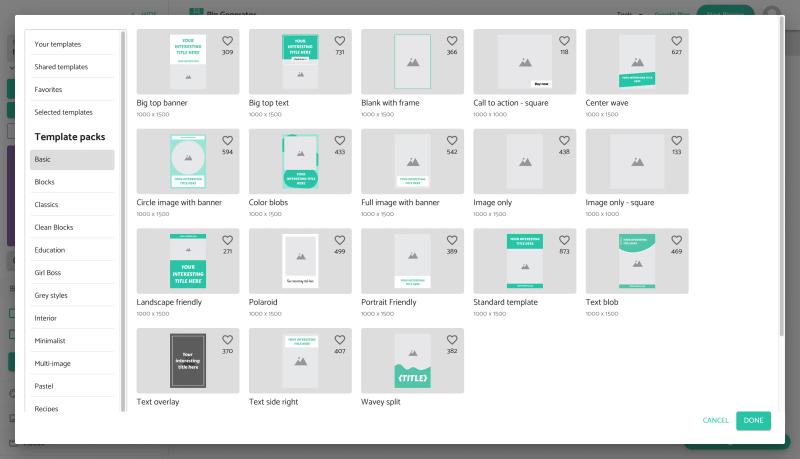
- Templates drive everything, and the customisation is shallow. You can tweak colors and text, but anything beyond light edits tends to break. Users who want designs that match their actual brand end up compromising.
- The Auto Shuffle scheduling feature, which is supposed to intelligently space your pins, does not work reliably. It places identical pins back to back, which is exactly the kind of pattern Pinterest flags. Several reviewers have flagged this as a genuine account risk.
- There are no analytics. Once pins are scheduled and published, there is no way inside the tool to see what performed well and what did not. You would need a separate tool for that.
- AI-generated titles repeat themselves across pins, and descriptions often exceed Pinterest character limits and get cut off.
- The credit system burns through quickly. The starter plan at $6.99 per month gives 200 credits, but creating, scheduling, and using AI features all draw from the same pool. Heavy users hit the limit fast and have to upgrade.
None of this makes Pin Generator useless. It is genuinely fast for bulk creation from URLs. But if your Pinterest strategy has grown beyond that, the tool starts to hold you back.
The Best Pin Generator Alternatives
1. GenSumo
GenSumo approaches Pinterest marketing differently from Pin Generator.
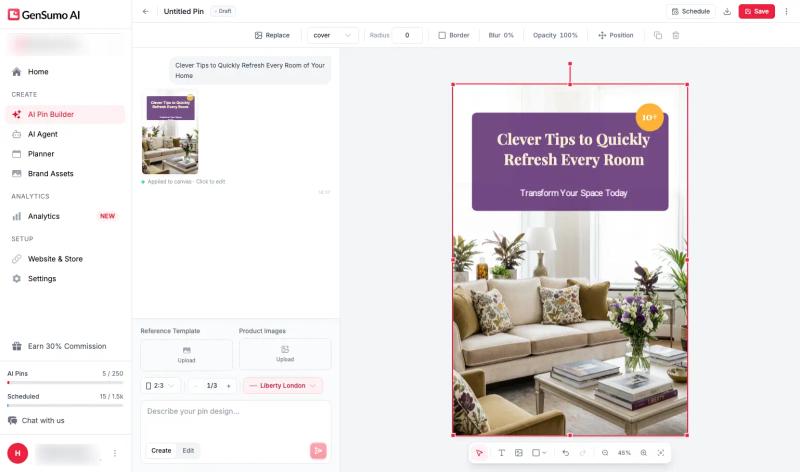
Instead of generating template-based pins from URLs, it uses AI to create original designs from scratch. You describe what you want, choose your brand style, and the AI builds the pin including layout, visuals, and copy. The output is editable, so you are not stuck with what the AI produces.
What it does that Pin Generator does not:
- Original AI design generation, not template fills. The pins look designed rather than assembled.
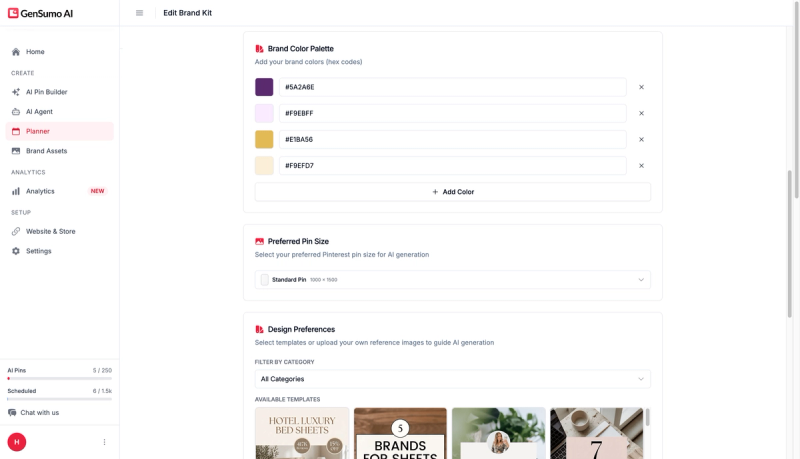
- Brand kit integration. Your colors, fonts, and logo are applied automatically and stay consistent without reverting.
- Multiple variations per prompt. You can generate several different versions at once and compare them.
- AI Agent for full workflow automation. Connect your website or a content topic and the agent plans the content calendar, creates the pins, and queues them for review. It handles spacing naturally so your posting pattern looks organic.
- Scheduling with multi-board support built in.
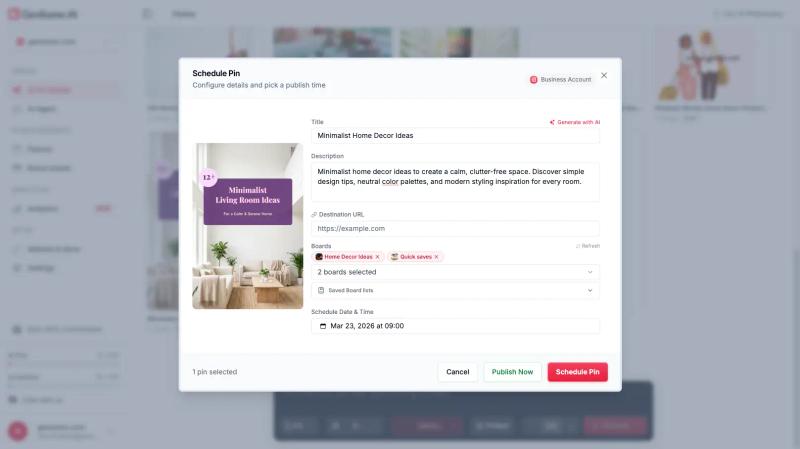
- A content planner to manage everything from one place.
On the analytics side, GenSumo is actively building this out. It is not yet as deep as a dedicated analytics tool, but performance visibility is on the roadmap in a way that Pin Generator has not prioritised.
Pricing starts at $29 per month with 100 AI-generated pins and 250 scheduled posts. No credit calculations.
2. Tailwind
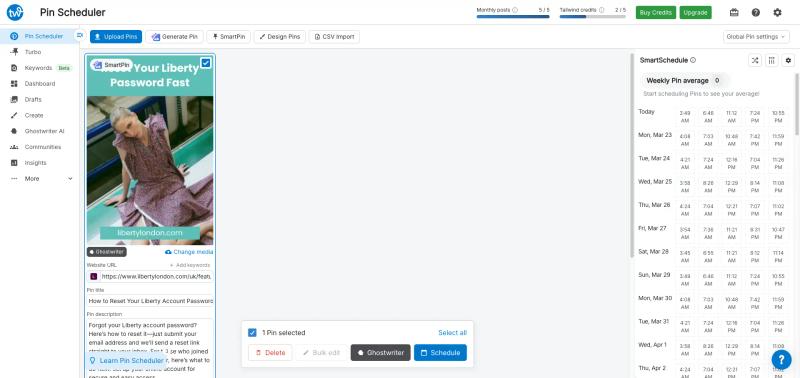
Tailwind is the most established Pinterest scheduling tool and handles a lot of what Pin Generator does around scheduling, but more reliably.
What works well:
- Bulk scheduling with a clean, predictable queue.
- SmartSchedule for automatic best-time suggestions.
- Consistent publishing without daily input once the queue is set.
- Built-in keyword and hashtag suggestions when writing pin descriptions.
Where it is similar to Pin Generator:
- Pin generation exists but produces basic output. Designs are simple and not always accurate to the source page.
- Credit-based pricing limits how much you can actually create per month.
Tailwind is the stronger choice over Pin Generator if scheduling reliability and keyword suggestions matter to you. If you need better design output, both tools have similar limitations.
3. Canva with Pinterest Scheduler
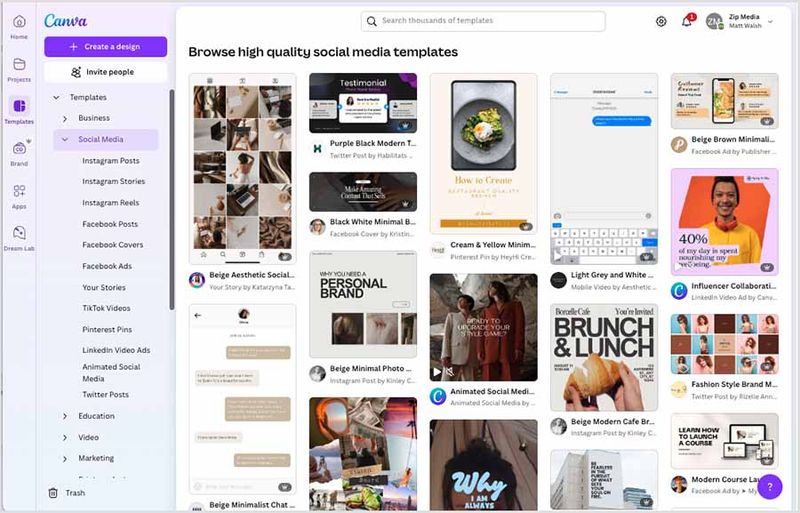
Canva is not a Pinterest-specific tool, but for users who find Pin Generator’s templates frustrating, it solves the design problem directly.
You get full control over every element of the design with no reverting, no glitches, and thousands of templates that actually work. Canva also has a built-in scheduler that posts directly to Pinterest.
The tradeoff is that it is entirely manual. There is no automation, no AI pin creation from URLs, and no bulk scheduling beyond what you set up yourself. But if your main frustration with Pin Generator is the design experience, Canva removes that friction completely.
4. Metricool
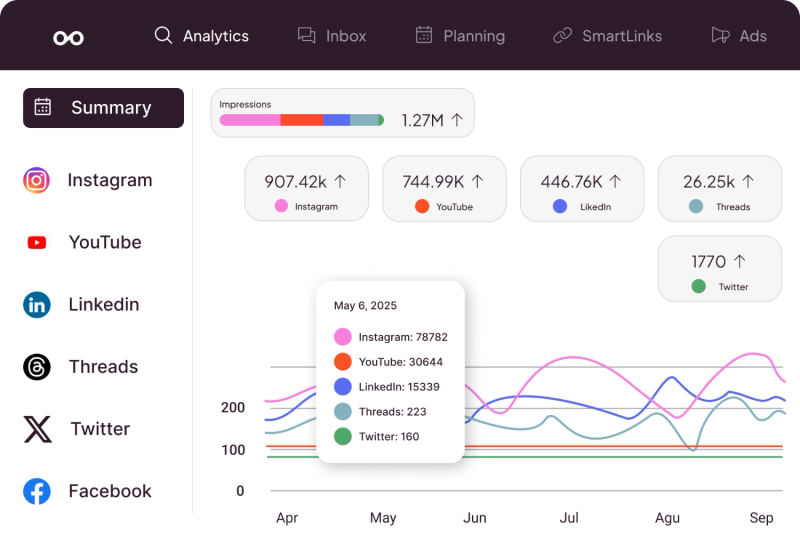
Metricool is a multi-platform social media tool that covers something Pin Generator does not at all: analytics.
For Pinterest specifically it includes:
- Scheduling and publishing across accounts.
- Performance tracking at the pin and account level.
- Engagement, reach, and click data over time.
- A clear view of what content is working and what is not.
It does not help with pin creation, so you would still need a design tool. But if the lack of analytics in Pin Generator is your main pain point, Metricool addresses that directly.
5. Sivi AI
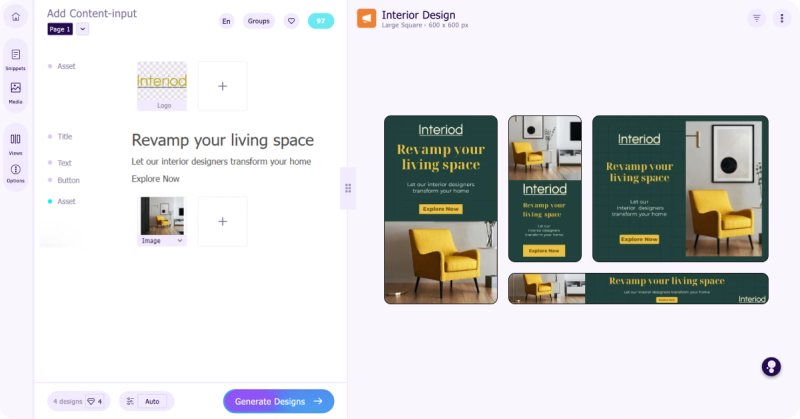
Sivi AI takes a very different approach compared to most Pinterest tools.
It is not built specifically for Pinterest.
Instead, it focuses purely on generating designs using AI.
You do not choose from templates. You provide a prompt or content, and it creates complete visuals from scratch including layout, text placement, and styling.
Because of this, the designs often feel more original and less repetitive than template based tools.
This can help if you want your pins to stand out instead of looking similar to everything else.
However, it only solves the design part.
There is no scheduling, no board management, no analytics, and no automation. You will need other tools to handle publishing and growth.
There is a free plan available, and paid plans start around $20 per month depending on how many designs you generate.
Which Tool Makes Sense for You
If your main issue is design quality and you want original pins rather than template fills, GenSumo is the clearest upgrade. The AI creates designs from scratch, the brand kit stays consistent, and the agent handles the content planning so you are not doing it manually.
If scheduling reliability is the issue, Tailwind or Publer are both more dependable than Pin Generator’s Auto Shuffle.
If the missing analytics are your biggest frustration, Metricool fills that gap directly.
If you want full design control without the bugs, Canva handles the creative side cleanly, though you give up automation entirely.
For more on optimising your Pinterest workflow, check out our guides on Pinterest SEO and Pinterest marketing strategies. You can also browse our Pinterest pin templates for design inspiration.


Generate pins with AI agent on autopilot
Create, schedule, and grow your Pinterest presence effortlessly with AI-powered automation.
Try GenSumo FreeA Note on the Credit System
Pin Generator, like Tailwind, uses credits. The starter tier at $6.99 per month comes with 200 credits, but those credits cover generation, scheduling, AI features, and downloads. For anyone creating content at any meaningful volume, this gets used up quickly.
It makes it harder to plan how much content you can actually produce each month without doing the credit maths upfront.
Tools like GenSumo use a flat pin count instead. At $29 per month you know you can create 100 AI pins and schedule 250. No calculation needed.
Final Thoughts
Pin Generator is a fast way to turn blog content into pins. For that specific use case it works.
But the clunky editing experience, unreliable automation, and complete absence of analytics make it hard to grow with. Most users eventually hit a point where they need more.
GenSumo is worth trying if you want a tool that handles creation, automation, and scheduling in one place without the design frustrations. If your needs are more specific, the other tools on this list each handle their area well.
Frequently Asked Questions
Why do people look for Pin Generator alternatives?
The most common reasons are the clunky editing experience where templates and colors frequently break, the unreliable Auto Shuffle feature that can post identical pins back to back, no analytics to track what is working, and a credit system that limits output at lower pricing tiers.
Does Pin Generator have analytics?
No. Pin Generator does not include any analytics or performance tracking. Once pins are published, you have no visibility inside the tool into impressions, clicks, saves, or engagement. You would need a separate tool like Metricool or Pinterest’s own analytics to track performance.
Is the Pin Generator automation feature safe for Pinterest accounts?
There are concerns. The Auto Shuffle feature has been reported to place identical pins back to back rather than spacing them intelligently. Posting the same pin repeatedly in a short window is a pattern Pinterest can flag. Several users have raised this as a genuine account risk rather than just a scheduling inconvenience.
What is the difference between Pin Generator and GenSumo?
Pin Generator creates pins by pulling images and content from URLs and applying templates. GenSumo creates original pin designs using AI from a prompt or brand brief. The design output is different, the customisation is deeper, and GenSumo includes an AI agent that handles content planning and scheduling as part of the same workflow.
Can I use Pin Generator for free?
There is a free tier but it is limited. Meaningful use requires a paid plan. The starter plan is $6.99 per month for 200 credits, which covers a mix of generation, AI features, and scheduling. Users creating content at any real scale tend to move up to higher plans quickly.
