




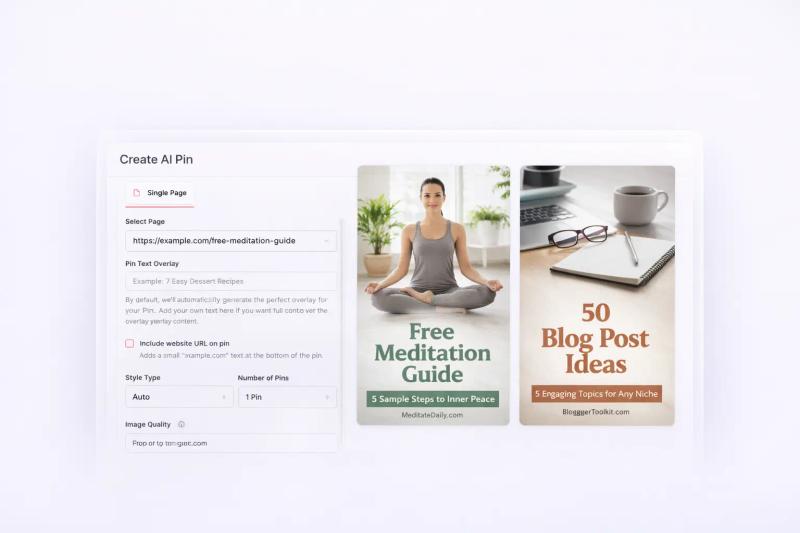
BlogToPin is built for one thing.
Volume.
If you’ve ever struggled to keep up with posting consistently on Pinterest, tools like this look very appealing. You add your blog URLs, and it generates and schedules pins automatically.
And to be fair, it does that well.
But Pinterest today is not just about posting more pins. Quality, variation, and design matter a lot more than they used to.
In this review, I’ll break down where BlogToPin works, where it starts to fall short, and whether it’s the right tool depending on your workflow.
- Best for: Bloggers who want high-volume Pinterest posting
- Biggest strength: Easy automation from blog URLs
- Main limitation: Basic pin design and limited control
- Missing pieces: Idea generation, keyword research, and testing
- Pricing: High output, but quality can vary
What BlogToPin Does Well
Key strengths of BlogToPin for high-volume Pinterest automation, bulk pin generation, and consistent posting.
1. Makes High-Volume Posting Actually Possible
One thing BlogToPin gets right is removing the biggest friction in Pinterest.
Consistency.
Most people don’t struggle with ideas. They struggle with keeping up. Designing pins every day, writing titles, scheduling everything. It quickly becomes repetitive.
BlogToPin simplifies that.
You add your blog URLs, and it starts generating pins in the background.
Instead of sitting down to create 5–10 pins manually, you suddenly have dozens being created for you.
That shift alone makes it easier to stay active.
2. Turns Blog Content into Distribution Automatically
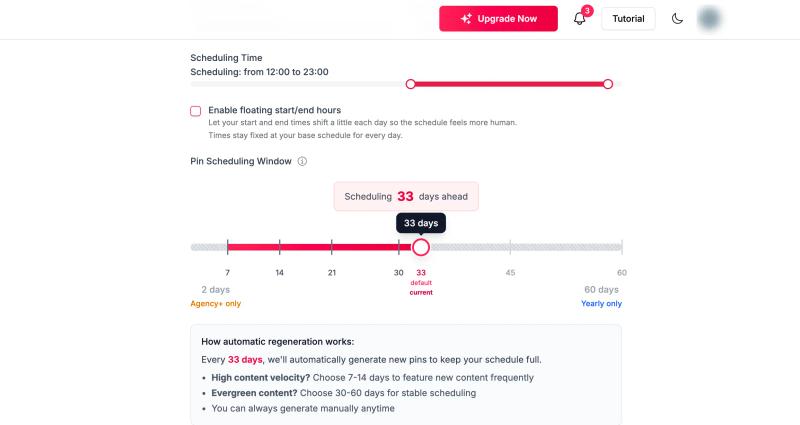
If you’re already publishing blog content, BlogToPin fits in naturally.
You’re not creating new content just for Pinterest.
You’re reusing what you already have.
Every blog post becomes a source of multiple pins. Over time, this builds a steady flow of content without needing to think about it daily.
For bloggers, this is probably the biggest advantage.
3. Keeps Your Account Active Without Overthinking
Another thing it does well is handling posting patterns.
Features like:
- Smart spacing
- Account warm-up
- Gradual posting
help your account stay active without looking too aggressive.
You don’t have to worry about posting too much or too little.
It just runs in the background.
4. Removes the Need to Design Pins
For many people, design is the biggest blocker.
You either spend hours in Canva or end up not posting at all.
BlogToPin removes that step completely.
You don’t need to think about layouts, fonts, or colors.
It handles everything automatically.
That’s a big reason why beginners find it useful.
5. Useful Analytics to Spot Patterns
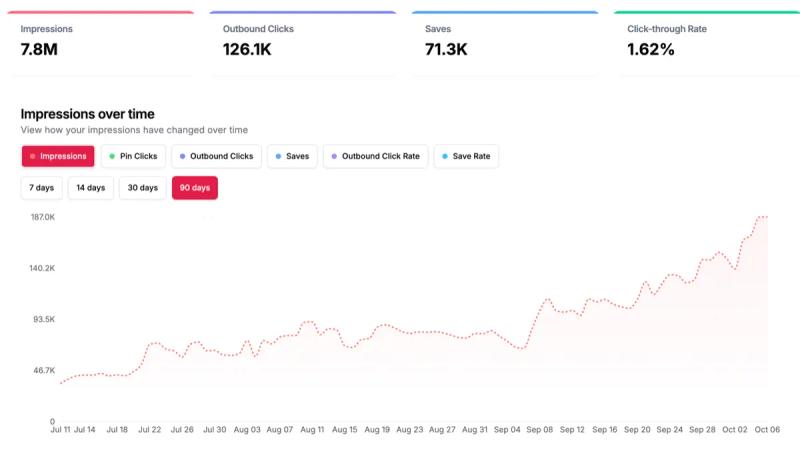
One thing I didn’t expect but actually found useful is the analytics.
Instead of just showing overall performance, BlogToPin breaks things down by:
- Templates
- Colors
- Image types
- Formats
This makes it easier to notice patterns.
For example, you might see that certain styles or formats consistently perform better.
It’s not very deep or strategic, but it gives you enough signal to understand what’s working without digging too much.
Where BlogToPin Falls Short
Limitations of BlogToPin in pin design quality, control, keyword optimization, and overall Pinterest workflow.
1. Limited Control Over What Gets Created
BlogToPin is very automated, but that also means you give up control.
You don’t really decide:
- What type of pins to create
- Which angles to test
- How many variations to generate per idea
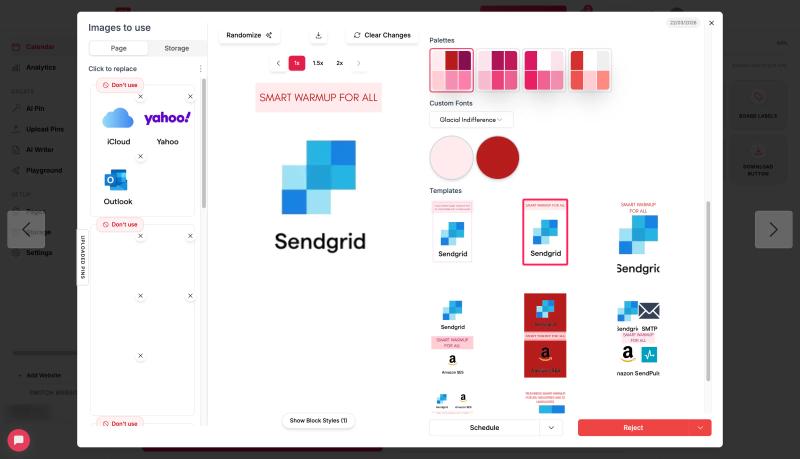
It just takes your URL and produces output.
That works early on, but over time you may want more say in what you’re actually publishing.
2. Pin Design Quality Feels Basic
This is one of the most noticeable limitations.
Most pins follow a very simple pattern.
An image from your blog with a text overlay and light styling.
It works for getting something published, but it rarely stands out.
Over time, the designs start to feel repetitive and generic. You’ll notice similar layouts, similar text placements, and very little variation in style.
And because you don’t have much control over design, improving this is difficult.
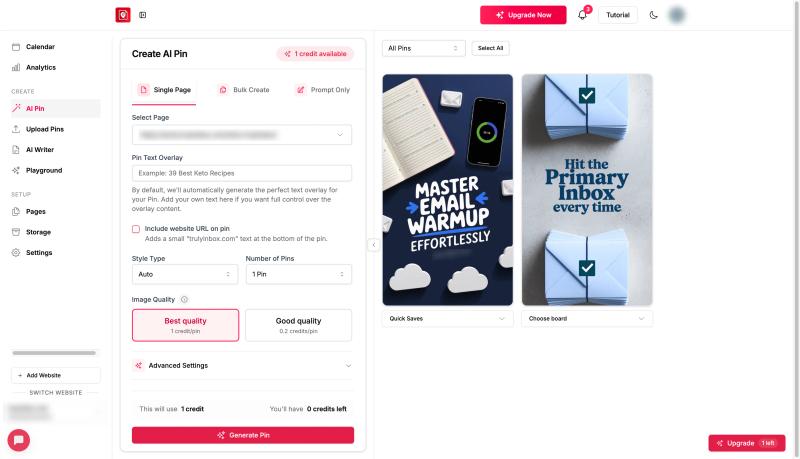
In many cases, you could get better results using even basic Canva templates with a bit of manual effort.
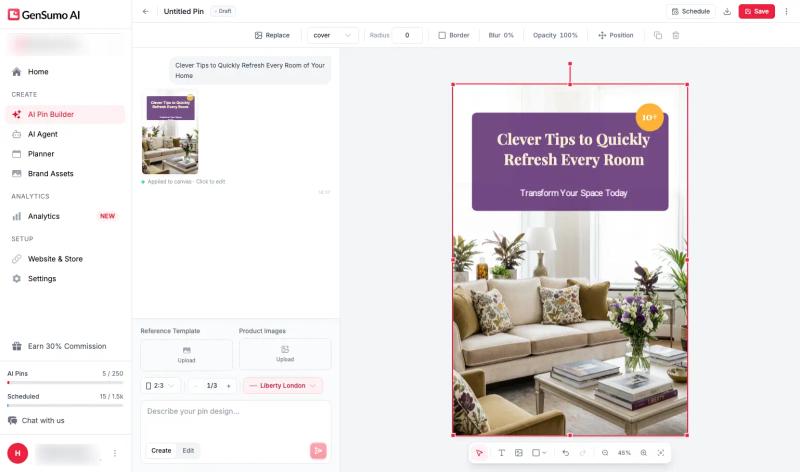
In comparison, tools like GenSumo focus more on generating actual designs from scratch, with brand styles and editable layouts, so you’re not limited to simple overlays.
3. Doesn’t Help With Idea Generation
Another gap is at the very start of the workflow.
BlogToPin assumes you already have content.
It doesn’t help you:
- Come up with new pin ideas
- Identify trends
- Expand topics into multiple angles
So if your content pipeline slows down, the system slows down with it.


Generate pins with AI agent on autopilot
Create, schedule, and grow your Pinterest presence effortlessly with AI-powered automation.
Try GenSumo Free4. Workflow Becomes One-Dimensional
Everything revolves around blog URLs.
That’s fine if your strategy is purely blog-driven.
But if you want to:
- Create standalone pins
- Test different concepts
- Build content beyond existing posts
it starts to feel restrictive.
You’re tied to what already exists instead of exploring new directions.
5. No Keyword Research
Another important gap is keyword research.
BlogToPin doesn’t really help you with:
- Finding keywords
- Writing optimized titles
- Improving discoverability
So you’re still guessing what to write in your pins.
This is a big part of Pinterest growth, and not having support here means you’re missing a key layer of optimization.
6. UI and UX Feel Rough
Another issue that shows up with regular use is the interface.
The UI feels quite basic and, at times, unpolished.
- Navigation can feel broken or unintuitive
- It’s not always clear where to find things
- The overall workflow doesn’t feel very smooth
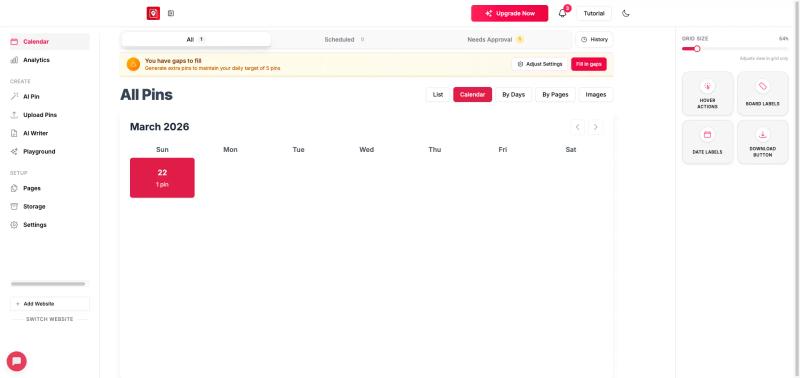
There’s also no strong visual calendar view, which makes it harder to plan and see your content schedule at a glance.
Compared to more modern tools, the experience feels a bit clunky.
This doesn’t stop you from using it, but it does add friction, especially when you’re managing a larger volume of content.
Pricing
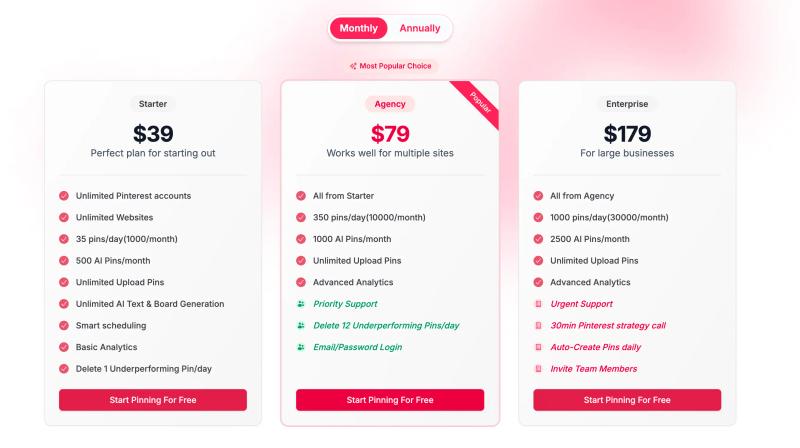
BlogToPin starts at $39/month, and the pricing is clearly built around volume.
On the starter plan, you get:
- 35 pins per day
- 500 AI-generated pins per month
- Unlimited websites and Pinterest accounts
- Basic analytics and scheduling
At first glance, this looks very generous compared to most tools.
Higher plans scale this even further, going up to hundreds or even thousands of pins per day.
So if your goal is to push out a large number of pins with minimal effort, the pricing makes sense.
But the tradeoff is important.
You’re getting more pins, not necessarily better ones.
The output is quite basic, and since there’s limited control over design and variation, the actual value per pin can be lower.
Who Should Consider a BlogToPin Alternative
BlogToPin works well for volume.
But if your goals go beyond just posting more pins, you’ll likely start looking for alternatives.
You should consider switching if:
- You want better-looking pins that actually stand out
- You need more control over design and variations
- You want to test different ideas, not just reuse blog content
- You care about keyword optimization and Pinterest SEO
- You’re trying to scale performance, not just output
FAQs
Common questions about BlogToPin, pricing, features, and best alternatives for Pinterest growth.
Is BlogToPin worth it for Pinterest marketing?
BlogToPin is worth it if your main goal is consistency through volume.
It helps you publish a large number of pins without spending time on design or scheduling. For beginners or bloggers who want to stay active without much effort, it does the job well.
But if your focus is on improving performance, testing creatives, or building a strong brand presence, it may start to feel limited.
Does BlogToPin create high-quality Pinterest pins?
Not really.
The pins are functional, but quite basic. Most are generated using blog images with simple text overlays.
They work for filling your content calendar, but they don’t always stand out in the feed or feel like intentionally designed pins.
Over time, this can impact performance, especially in more competitive niches.
Why do people switch from BlogToPin to other tools?
The switch usually happens when priorities change.
At first, volume is enough.
But later, users want:
- Better-looking pins
- More control over design and variations
- The ability to test different ideas
- Stronger SEO and keyword support
That’s when BlogToPin starts to feel one-dimensional.
Can BlogToPin actually grow your Pinterest account?
It can help you stay consistent, which is an important part of growth.
But consistency alone is not enough anymore.
Growth on Pinterest depends more on:
- Pin design
- Content variation
- Keyword optimization
- Testing what works
BlogToPin supports the first part, but not the rest.
What is a better alternative to BlogToPin?
It depends on what you’re looking for.
If you just want to publish more pins, BlogToPin already does that well.
But if you want a more complete workflow, including:
- Idea generation
- Better pin designs
- More control over variations
- Built-in automation
then tools like GenSumo AI are a stronger alternative, since they focus on improving both the quality and scalability of your Pinterest content.
