




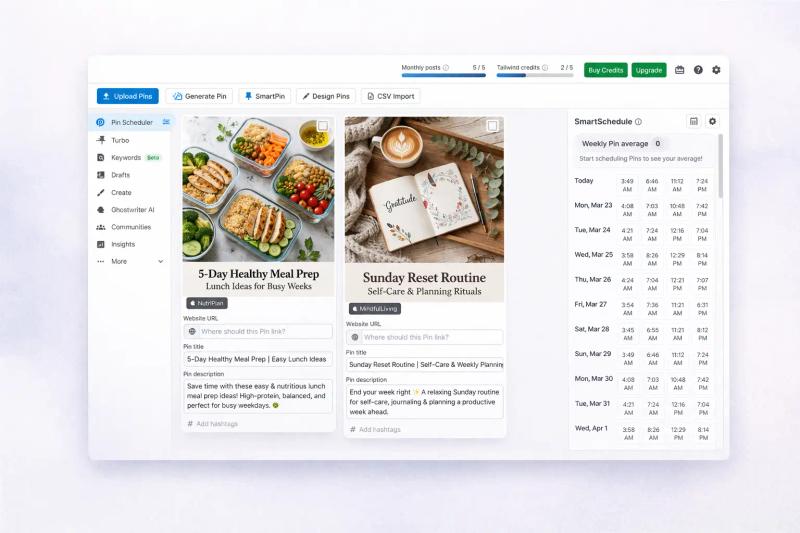
If you’re looking for a Tailwind alternative, chances are scheduling isn’t your main problem anymore.
It’s everything around it. Coming up with pin ideas, designing creatives, writing titles, figuring out what might work, and doing it consistently.
That’s where most of the time actually goes.
In this post, I’ll share a 8 Tailwind app alternatives I’ve tried that approach this problem very differently.
- Best overall (all-in-one): GenSumo AI → combines pin creation, automation, and scheduling
- Best for high-volume posting: BlogToPin → good automation, lower design quality
- Best for blog content workflows: Content Goblin → great for articles + images, not ready-to-post pins
- Best for templates: Pin Generator → fast but repetitive designs
Tailwind App Alternatives Comparison Table
| Tool | Best For | Pin Creation Quality | Automation | Scheduling | Pricing Starts |
|---|---|---|---|---|---|
| GenSumo AI | All-in-one Pinterest growth | High | Advanced | Yes | $29/month |
| BlogToPin | High-volume bloggers | Low | Advanced | Yes | $39/month |
| Content Goblin | Blog + content + images | Low | Limited | No | $39/month |
| Pin Generator | Template-based pin creation | High | Good | Yes | $17/month |
| Alura | Etsy sellers | Medium | Good | Yes | ~$20/month |
| Metricool | Multi-platform management | None | Basic | Yes | Free / $25 |
| Sivi AI | AI design generation | High | None | No | Free / $20 |
| Publer | Affordable scheduling | None | Basic | Yes | Free / $12 |
1. GenSumo AI
GenSumo AI is quite similar to Tailwind on the surface.
You still get a scheduler where you can plan weeks or even months of pins in advance, with features like smart spacing, board selection, and AI-assisted titles and descriptions.
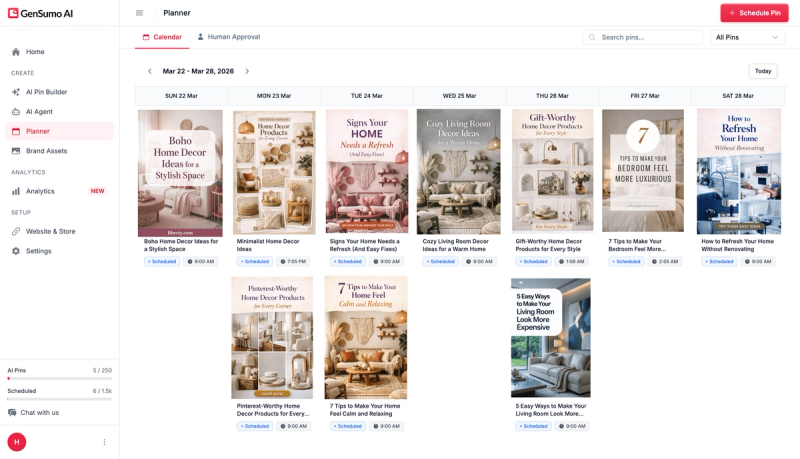
But the real difference shows up before scheduling.
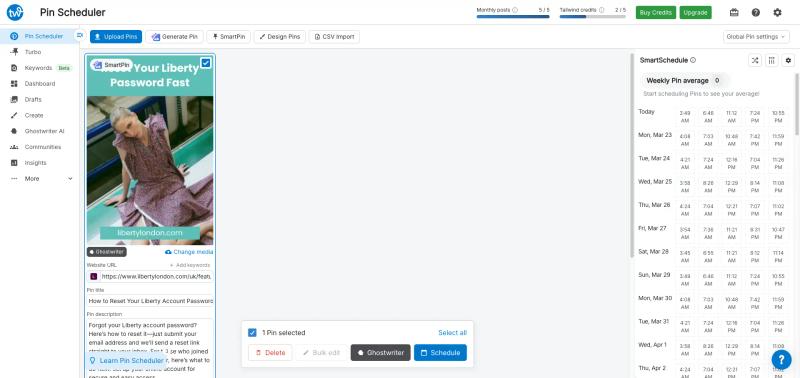
Tailwind does have an AI feature where you can add a URL and generate a pin. I tested this with the same page on both tools.
The output from Tailwind was very basic and, in my case, didn’t even match the page content properly.
With GenSumo, the output was on a completely different level.
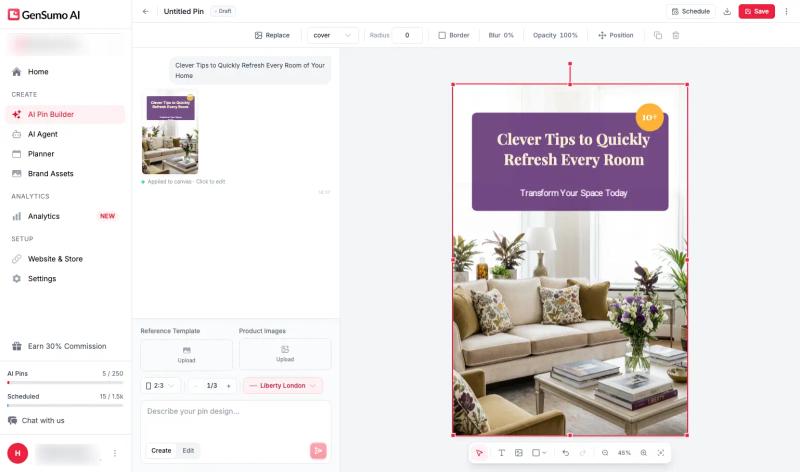
It works more like a proper design tool like Canva.
You can either describe what you want in simple text or build from scratch.
It follows your brand kit, generates multiple variations, and everything stays editable.
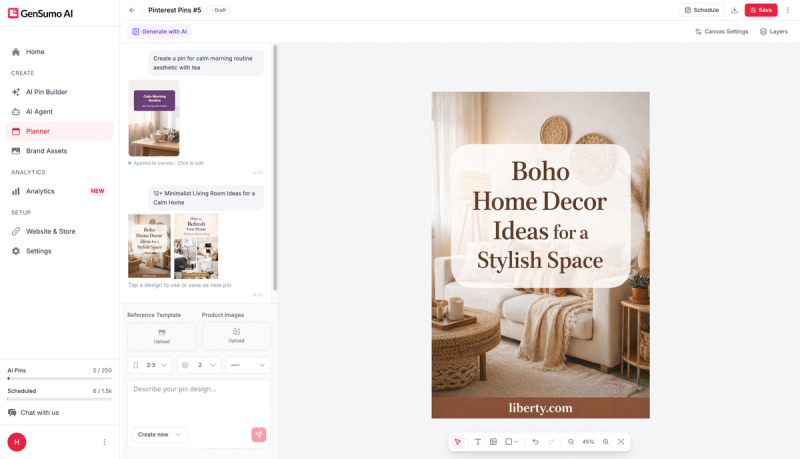
You are not stuck with a fixed design.
That flexibility alone saves a lot of time.
Another big difference is automation.
Tailwind recently introduced SmartPin, where it creates pins from a URL every week. It’s a good step, but still quite limited.
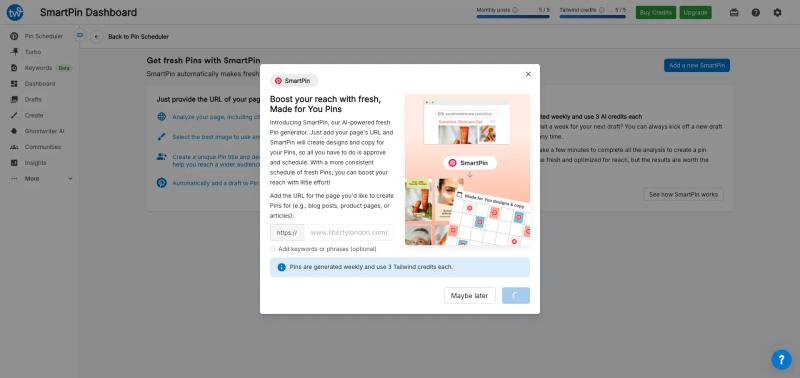
GenSumo takes a different approach with its AI Agent.
You connect your website, it syncs your content, plans your posting schedule, generates pins in advance, and keeps them ready for approval. Once approved, everything gets scheduled automatically.
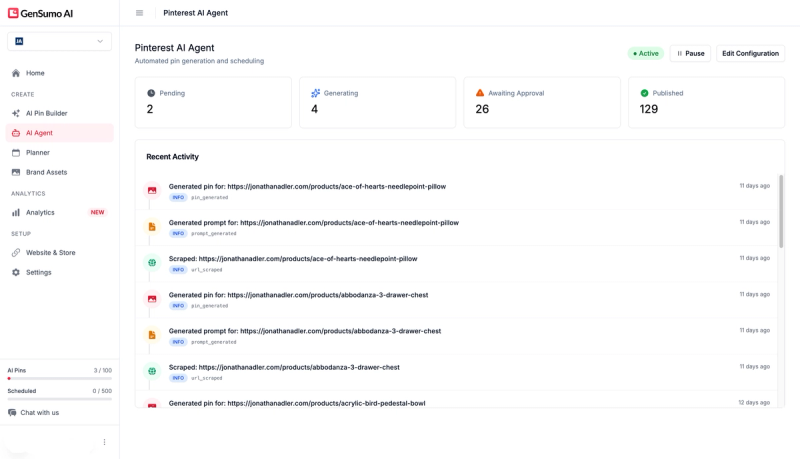
It also handles things like spacing between posts, gradual account warm up, and varying posting frequency so your activity looks natural over time.
These small details matter more than they seem.
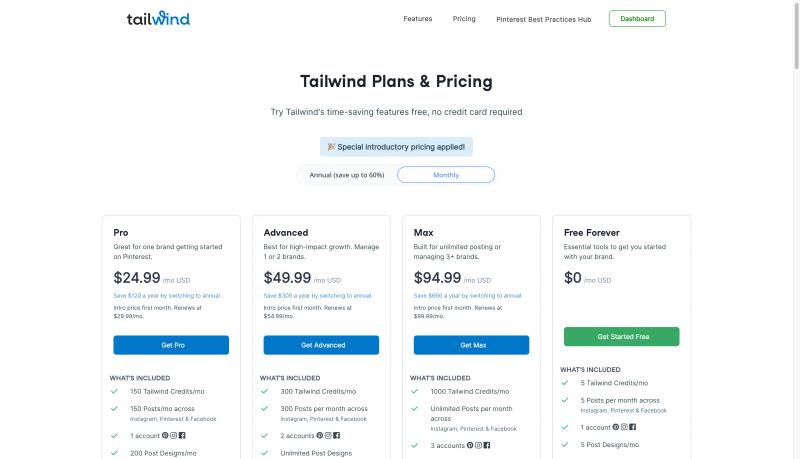
On pricing, Tailwind uses a credit system which can get confusing quickly.
Their plan starts around $25/month, but you get 150 credits. On average, generating one AI pin can take around 3 credits, which means you’re realistically creating about 50 pins. And that’s before using credits for other features like copy generation.
GenSumo is more straightforward.
At $29/month, you get 100 AI-generated pins and around 250 scheduled posts included. No credit calculations, no guessing.

So for a small price difference, you’re getting roughly 2x the pin output, plus a lot more room to actually schedule and scale consistently.
2. BlogToPin
BlogToPin is built for a very specific use case.
If you’re a blogger who wants to publish a high volume of pins every day, this tool leans heavily into that.
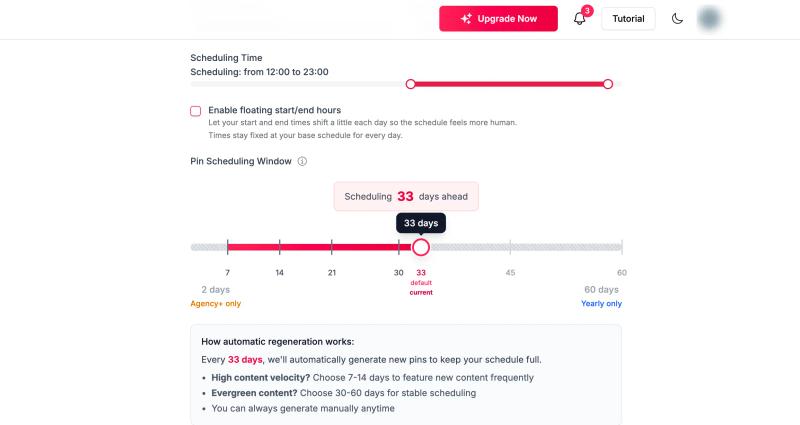
The automation side is actually quite solid. You get features like smart spacing, account warm-up, and consistent posting patterns, similar to what you see in more advanced tools like GenSumo.
Where it starts to fall short is the actual pin quality.
The workflow is simple.
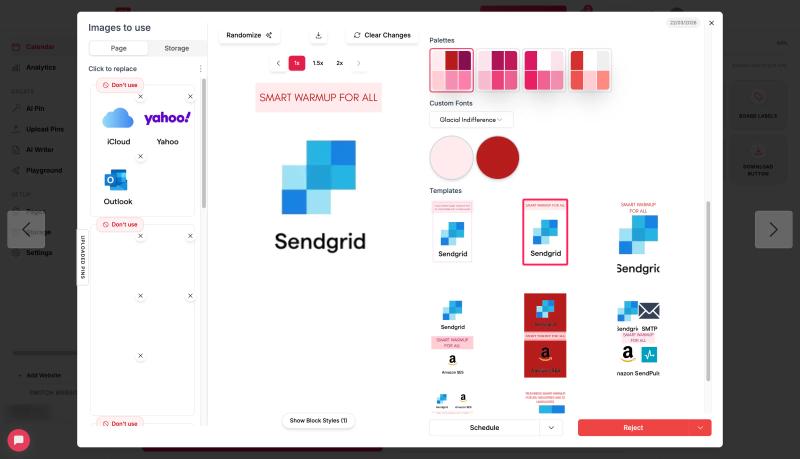
You add your blog URLs, and it generates pins automatically. But from what I tested, most of the output is quite basic. It usually pulls an image from your blog and adds a text overlay with some background styling.
For instance, the URL i used had very fe wimage on blog and hence the pins are not usable at all.
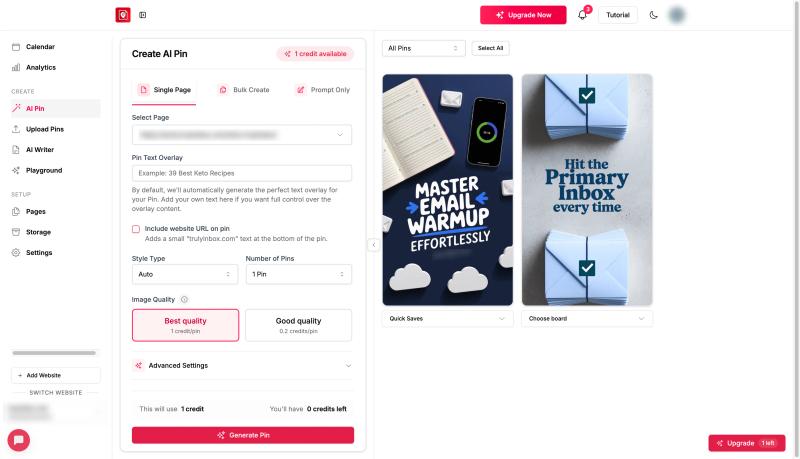
They also have an AI pin generator, but it is more like an image generator where you provide a URL or prompt, and it generates an output that may not always be Pinterest design–friendly.
That said, I can see who this is for.
If your goal is purely volume and you want to push out a large number of pins without spending time on design, BlogToPin can still be useful. More pins can sometimes mean more chances to get traction, especially for new accounts.
One thing I did like was their analytics.
They break things down by templates, colors, formats, and images, which makes it easier to spot patterns in what’s working. This kind of breakdown is not very common and can be genuinely helpful.
On pricing, their starter plan is around $39/month.
At first glance, it looks very generous. You’ll see numbers like 35 pins per day or up to 500 AI-generated pins per month, which is much higher than most tools.
But the tradeoff is clear.
You’re getting more quantity, but the quality of those pins is noticeably lower.
3. Content Goblin
Content Goblin is a bit different from most Tailwind alternatives.
It’s not just focused on Pinterest. It’s more of a content engine that also happens to generate pins.
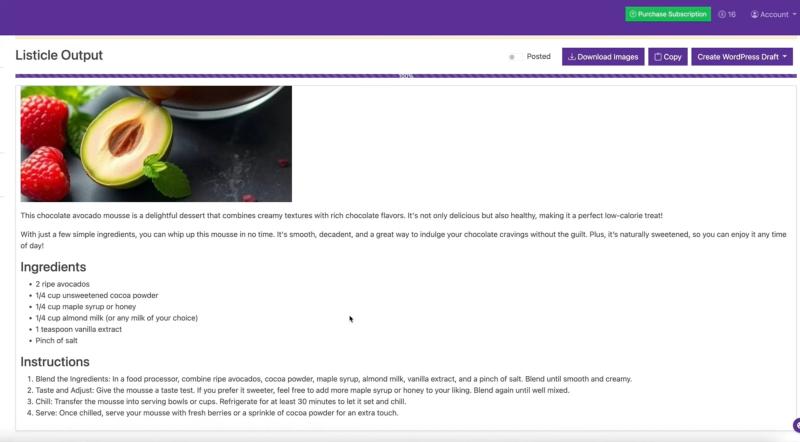
The core idea is simple. You enter a topic, and it creates full listicle-style articles with images, headings, and descriptions. Along with that, it can generate Pinterest pins in bulk from the same content.
If your workflow is blog-first and Pinterest comes after, this approach makes a lot of sense.
You can go from idea → article → pins in one flow without jumping between tools.
On the pin side though, it’s important to set the right expectation.
It’s not really generating Pinterest-ready pins.
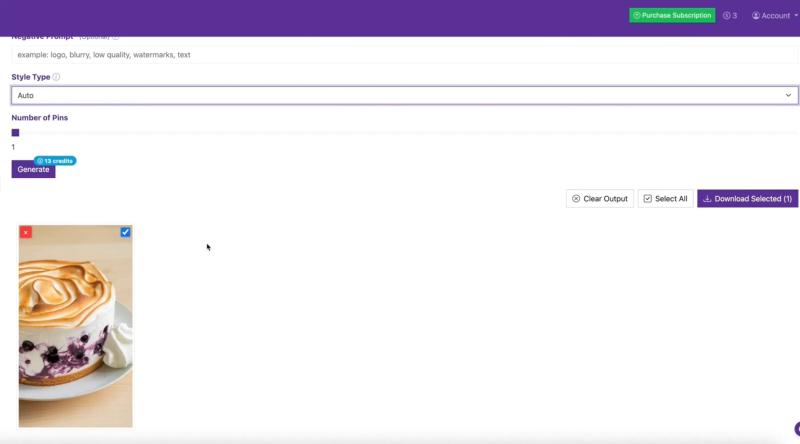
What you get are AI-generated images, similar to what you’d get from tools like ChatGPT or Gemini image generation. There’s no real pin structure, layout, or text overlay built in.
So you still need to take those images and turn them into proper pins yourself.
That’s the tradeoff.
On pricing, it starts around $39/month with a credit-based system.
For example, their base plan gives you around 2900 credits, which translates into a large number of generated images, especially at standard quality.
4. Pin Generator
Pin Generator is exactly what the name suggests.
It’s heavily focused on generating pins quickly using templates.
One of its biggest strengths is also its main limitation.
The entire workflow is template-driven. You get a large library of layouts to choose from, and then the tool generates pins based on those. This makes it fast and predictable, especially if you just want to produce a lot of pins without thinking too much about design.
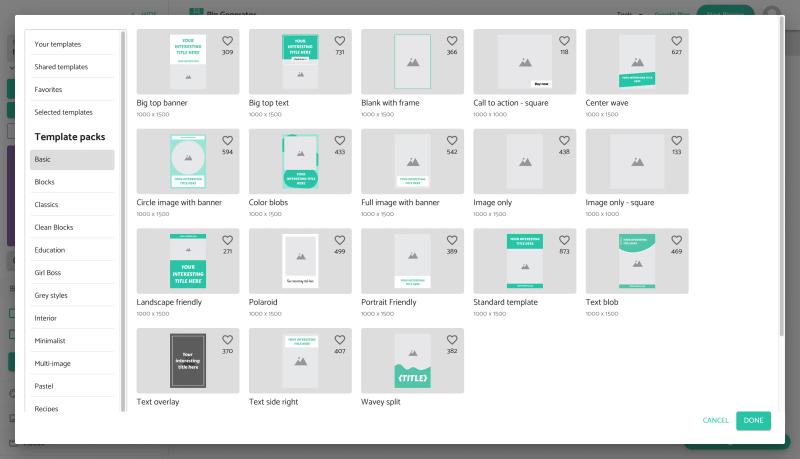
But at the same time, it can feel restrictive.
Customization is there, but it’s fairly limited. You can tweak text, colors, and some elements, but you don’t really get full control over the design. After a point, many pins start to look quite similar.
The overall UI and editing experience is also pretty basic. It gets the job done, but it doesn’t feel like a proper design tool.
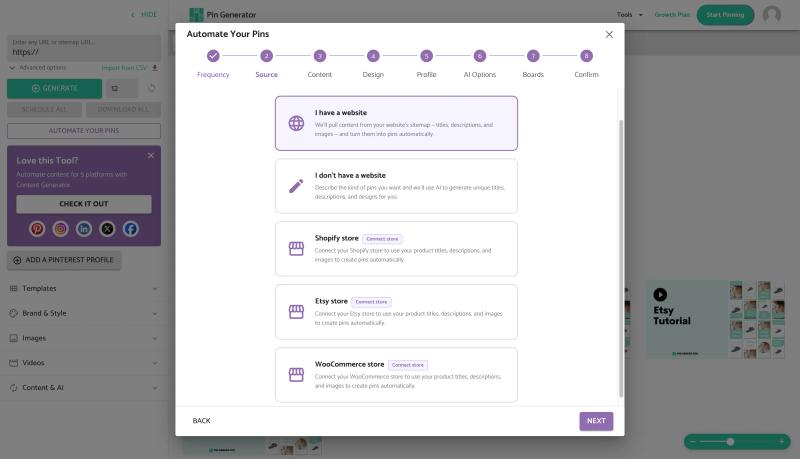
They’ve recently added automation as well.
You can now connect your Shopify, WordPress, or WooCommerce store and generate pins automatically from your content. It’s a useful addition, especially for ecommerce or content-heavy sites.
On pricing, it starts at around $17/month with 200 credits.
So it’s one of the more affordable options out there, especially if you’re just getting started.
Overall, Pin Generator works well if your priority is speed and volume using templates.
5. Alura

Alura is primarily built for Etsy sellers.
Pinterest is not its main focus, but it does include a pin generation feature tied directly to your Etsy listings.
The workflow is straightforward.
You connect your Etsy store, and it uses your product listings to generate and schedule pins. This makes it quite useful if your goal is simply to promote products without manually creating content.
Everything is tightly connected to your store.

Titles, images, and descriptions are pulled directly from your listings, so you don’t have to set things up from scratch.
But that also highlights its limitation.
You don’t get much control over pin design or creativity. It’s more about quickly turning listings into pins rather than creating high-performing or visually strong content.
So the output tends to feel functional rather than polished.
There’s also not much depth when it comes to Pinterest-specific strategy. Features like advanced scheduling patterns, content variation, or design flexibility are quite limited compared to dedicated Pinterest tools.
Where Alura works well is simplicity.
If you’re an Etsy seller who just wants to stay active on Pinterest without extra effort, it does the job.
6. Metricool
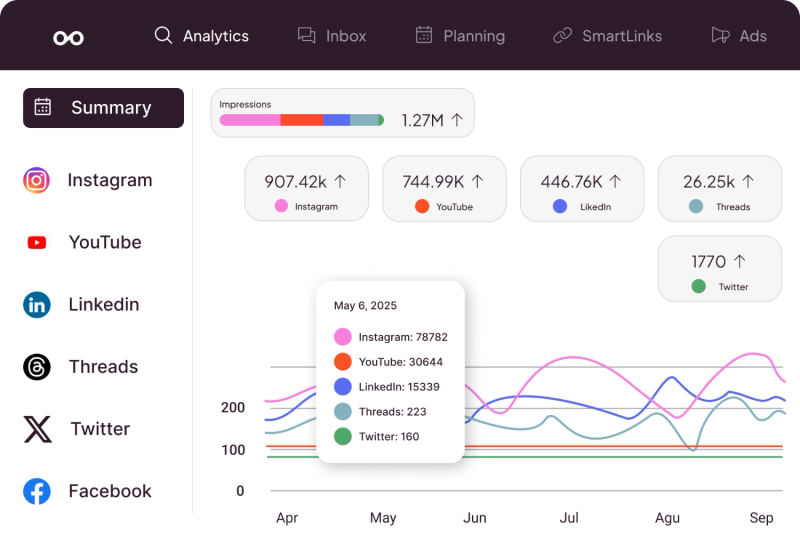
Metricool is more of a full social media management tool than a dedicated Pinterest platform.
It supports Pinterest, but also covers Instagram, Facebook, Twitter, LinkedIn, and more.
So if you’re managing multiple channels, it can be useful to have everything in one place.
For Pinterest, you get basic scheduling, analytics, and planning features.
You can create and schedule pins, track performance, and manage your content calendar alongside other platforms.
But Pinterest is not the core focus here.
There’s no real pin generation capability, no design system, and no automation built specifically for Pinterest workflows like you see in more specialized tools.
It’s more of a general scheduler with analytics.
Where Metricool stands out is its analytics and reporting.
You get a clean overview of performance across platforms, which is helpful if you care about tracking everything in one dashboard.
On pricing, Metricool has a free plan, which is useful if you just want to get started.
Their paid plans start around $25/month, but those are designed more for managing multiple social platforms rather than Pinterest specifically.
7. Sivi AI
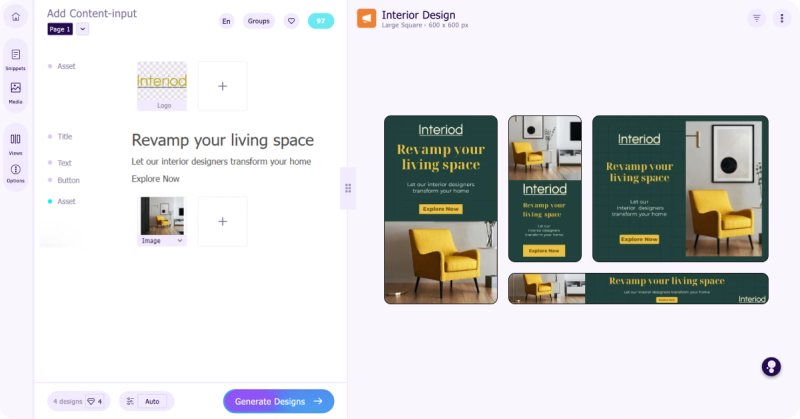
Sivi AI is not a Pinterest-specific tool.
It’s more of an AI design generator that can be used to create visuals, including Pinterest pins.
The core idea is different from most tools on this list.
Instead of using templates, it generates designs from scratch based on your input. You enter your content or prompt, and it creates layouts, text, and visuals automatically.
This makes the output feel less templated compared to tools like Pin Generator.
You can get more unique designs, especially if you experiment with inputs.
But again, there’s a tradeoff.
It’s not built for Pinterest workflows.
There’s no scheduling, no automation, no analytics, and no direct publishing. You’re only solving the design part here.
It has a free plan, and paid plans start around $20/month depending on how many designs you want to generate.
Overall, Sivi fits well if your main problem is creating fresh, non-template designs.


Generate pins with AI agent on autopilot
Create, schedule, and grow your Pinterest presence effortlessly with AI-powered automation.
Try GenSumo Free8. Publer
Publer is another general social media tool that also supports Pinterest.
Similar to Metricool, it’s built to manage multiple platforms in one place rather than focusing only on Pinterest.
For Pinterest, you get solid scheduling features.
There’s a visual calendar, bulk upload using CSV, RSS-based auto posting, and even a recycle feature where you can repost high-performing pins automatically.
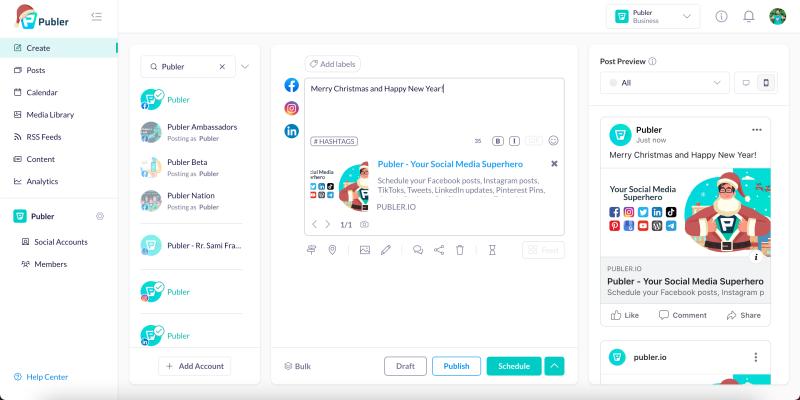
These features are useful if your main goal is consistency and saving time on publishing.
But again, creation is not the focus.
There’s no real pin design system or AI pin generation like you see in more specialized tools. You’ll need to create your pins elsewhere and then use Publer mainly for scheduling and distribution.
One thing I like is how flexible the scheduling is.
You can plan content across platforms, reuse posts, and automate publishing workflows quite easily.
On pricing, it has a free plan, and paid plans start around $12/month, making it one of the more affordable options.
Overall, Publer is a good choice if you want a lightweight scheduler that works across multiple platforms.
Final Thoughts
Most people think they need a better scheduler.
In reality, scheduling is the easiest part now.
The real bottleneck is everything before that. Ideas, design, consistency, and figuring out what actually works.
That’s why these tools feel so different from each other.
Some focus on volume. Some on design. Some on automation. And a few try to do everything in one place.
GenSumo AI is a perfect Tailwind app alternative if you focus solely on Pinterest while Publer would be a great choice if you post on multiple platform.
FAQs
What is the best Tailwind alternative?
It depends on what you need.
If you want a similar tool with better pin creation and automation, GenSumo AI is closer. If you just want scheduling, tools like Publer or Metricool can work.
Which tool is best for beginners?
Publer and Metricool are easier to start with since they have simple scheduling and free plans.
If you want something more powerful from day one, GenSumo AI or Pin Generator are good options.
Can I grow on Pinterest without designing pins myself?
Yes, but with tradeoffs.
Tools like BlogToPin or Alura can generate pins automatically, but the quality is usually lower. You may get volume, but not always strong performance.
Which tool is best for bloggers?
BlogToPin and Content Goblin are more blog-focused.
But if you want to turn blog content into higher-quality pins and automate posting at the same time, GenSumo AI can be a better fit.
Do I need multiple tools?
In many cases, yes.
Some tools focus only on design, others only on scheduling. That’s why many people end up combining tools.
But newer platforms are trying to combine everything into one workflow.
Is Tailwind still worth using?
It still works for scheduling and basic workflows.
But compared to newer tools, it can feel limited, especially around pin creation and automation.
