




Pinterest growth usually comes down to one thing. Volume with consistency.
The problem is most people cannot keep up. Designing pins, posting daily, and managing boards turns into a bottleneck very quickly.
That is where the right scheduling tool changes things. It is not just about queuing posts, but making the entire process faster and easier to repeat.
In this guide, we’ll break down the best Pinterest scheduling tools in 2026, what they’re good at, and which one makes sense for how you create and scale content.
Quick Comparison of Best Pinterest Scheduler
| Tool | Best For | AI Pin Creation | Scheduling | Analytics | Starting Price |
|---|---|---|---|---|---|
| GenSumo | AI pin design + automation | Yes | Yes | Yes | $29/mo |
| Tailwind | Pinterest scheduling + communities | Basic | Yes | Yes | $14.99/mo |
| Pinterest (Native) | Simple free scheduling | No | Basic | Basic | Free |
| Buffer | Multi-platform scheduling | No | Yes | Yes | $6/mo+ |
| BlogToPin | Blog-to-pin automation | Template | Yes | No | $39/mo |
| Later | Visual calendar + multi-platform | No | Yes | Yes | $25/mo |
| Canva | Design-first workflow | No | Limited | No | Free / $13/mo |
| Planoly | Instagram + Pinterest planning | No | Yes | Basic | $13.50/mo |
| Hootsuite | Enterprise multi-platform | No | Yes | Yes | $99/mo |
| Sendible | Agency workflows | No | Limited | Yes | $29/mo |
| Zernio | API + automation workflows | No | Yes | Yes | Free tier |
1. GenSumo
Most Pinterest tools solve one part of the workflow. Some help you schedule. Others help you design. Very few bring everything together in a way that actually saves time day to day.
GenSumo is built to cover that full flow.
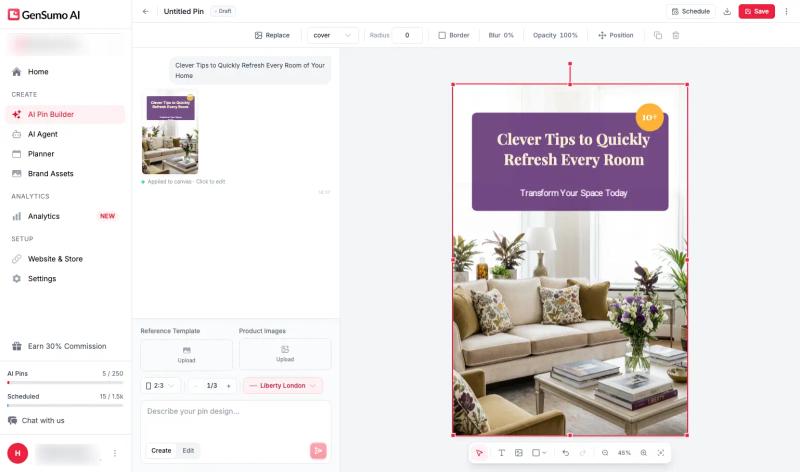
You describe what you want, pick a style, and the AI generates a complete pin with layout, images, text overlays, and your brand elements baked in.
The output is fully editable. If something feels off, you tweak it directly before publishing.
Where it stands out is how it handles publishing safely.
Features like account warmup, smart spacing between pins, variation in designs, and link separation are built in to reduce the chances of your account getting flagged as spam.
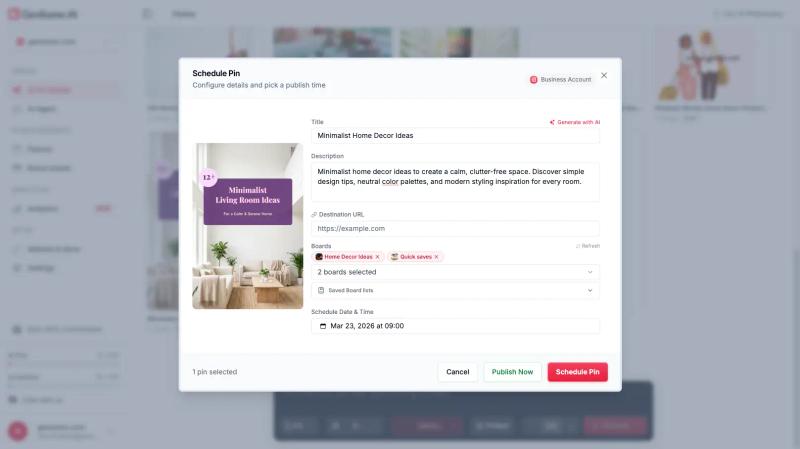
Scheduling is straightforward.
You get multi-board support and a clear calendar view so you always know what is going out and when.
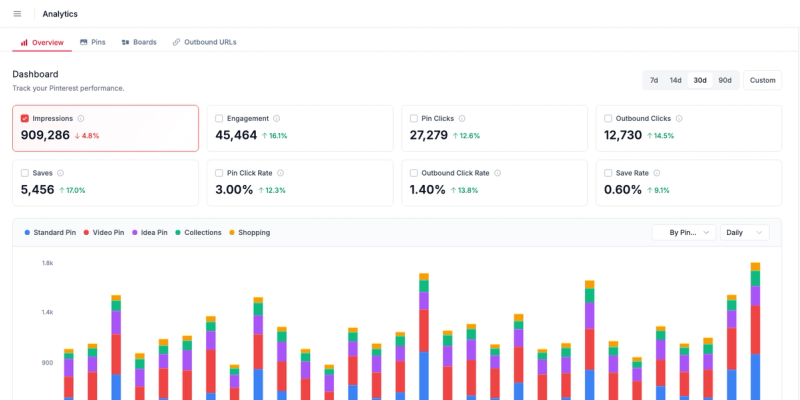
Analytics cover impressions, saves, and clicks, giving you enough visibility to understand what is working.
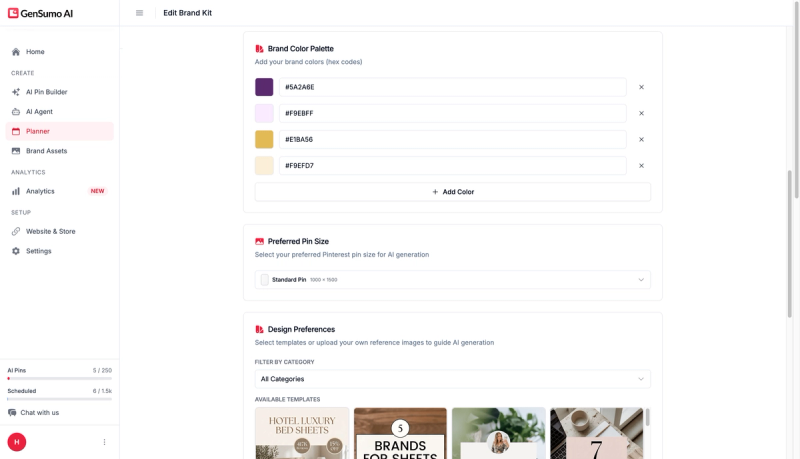
The brand kit feature keeps everything consistent. Your logo, colours, and fonts are applied automatically across pins, so you are not manually fixing designs every time.
Pricing starts at $29 per month for 100 AI pins and 500 scheduled posts. The Growth plan at $67 covers three accounts with 250 AI pins. There is a 14-day free trial with no card required.
If your goal is to post consistently without risking account issues, GenSumo is one of the more practical tools to consider.
2. Tailwind
Tailwind has been in the Pinterest space longer than anyone else.
The scheduling is rock solid. SmartSchedule picks optimal times based on your audience data, and the queue system means you can load a week of content in one sitting.
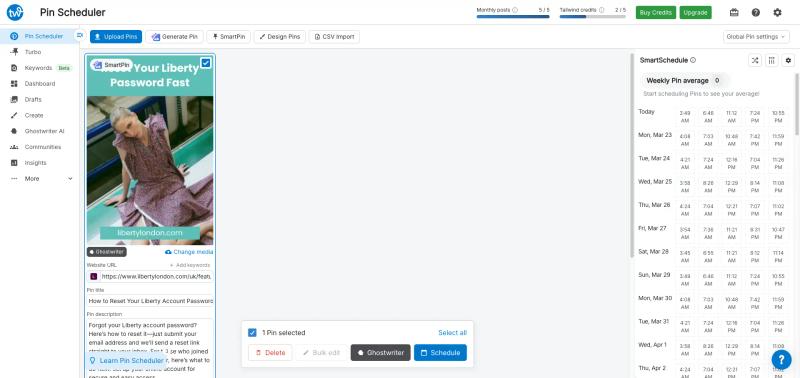
They added SmartPin recently, which generates pin variations automatically. It works, but the designs are functional rather than polished. Fine for volume, less so if brand aesthetics matter to you.
Tailwind Communities (formerly Tribes) are group boards where members share each other's content. Useful for reach if you are in a niche like food or DIY where communities are active.
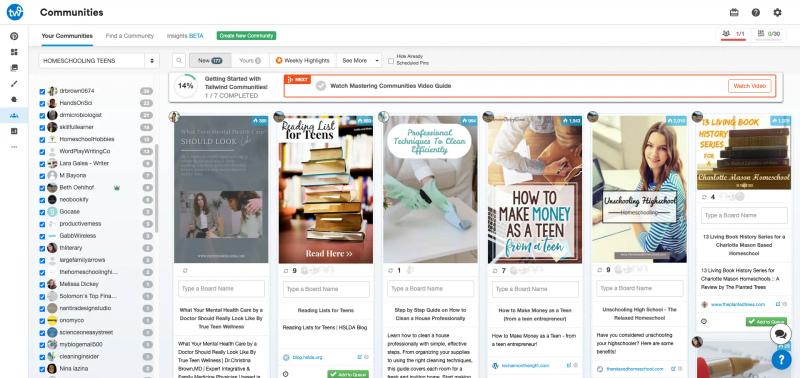
Analytics are solid. You get performance data on pins, boards, and overall account health. The insights are actionable rather than just decorative dashboards.
Pricing starts at $14.99 per month on the Pro plan. Advanced is $24.99 with more accounts and communities.
Affordable and reliable, but the creative tools are limited. Best for bloggers and small creators who need dependable scheduling with some analytics.
3. Pinterest's Native Scheduler
Pinterest has its own built-in scheduler, and honestly, for people just getting started it does the job. You can schedule pins up to 30 days in advance directly from the pin creation screen.
The interface is simple. Upload your image, write your title and description, pick a board, set a date and time.
Done.
No learning curve whatsoever.
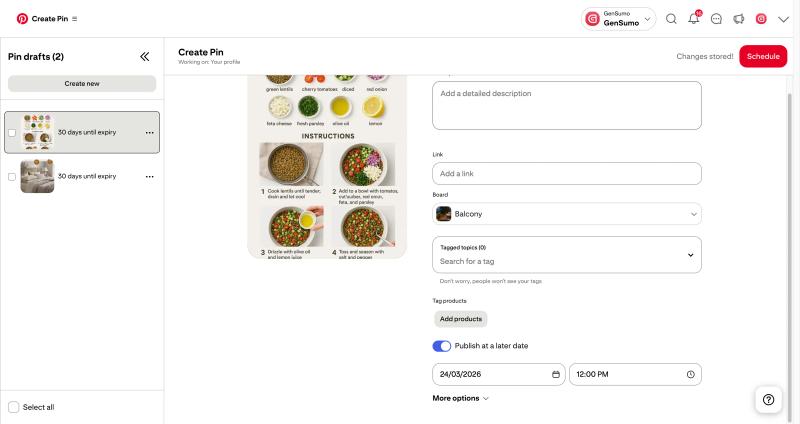
Where it falls short is everything beyond basic scheduling. No bulk upload. No smart timing. No calendar view to see your full content plan at a glance.
You are scheduling one pin at a time, which gets tedious fast when you are managing more than a handful of posts per week.
The biggest upside is the price. Free. If you are publishing fewer than ten pins a week and you do not need automation, this is a perfectly fine starting point. But once volume picks up, you will outgrow it quickly.
4. Buffer
Buffer is one of those tools that does a lot of things reasonably well without excelling at any single one. It supports Pinterest alongside Instagram, Twitter, Facebook, LinkedIn, and others. If you are managing multiple platforms, the unified dashboard has real value.
The scheduling is clean and intuitive. You pick a time slot, attach your image, write your description, and queue it up.
The calendar view is well designed. You can drag and drop to rearrange posts across platforms.
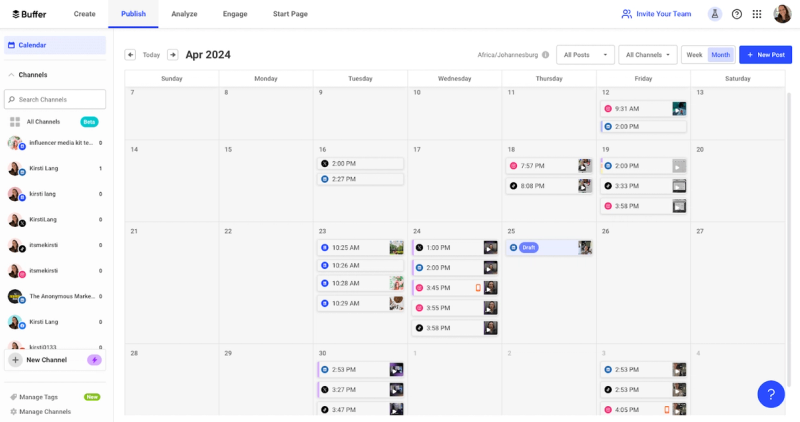
Pinterest-specific features are thin though. No smart scheduling based on Pinterest audience data. No pin creation tools. No keyword suggestions.
It treats Pinterest the same way it treats every other platform, which means you miss out on Pinterest-specific optimizations.
The free plan lets you connect three channels with ten scheduled posts per channel. Paid plans start at $6 per month per channel. Reasonable pricing, especially if Pinterest is just one part of your social media mix.
Best for people who want one simple tool for all their social channels. Not ideal if Pinterest is your primary focus and you want features tailored to the platform.
5. BlogToPin
BlogToPin is built for one thing. Turning existing pages into pins at scale.
You paste a blog URL and it handles the rest. It pulls images and text from the page, applies a template, writes a description, and schedules the pin. If you have a large content library, you can run this across dozens or hundreds of URLs in one go, which is where it starts to make sense.
In practice though, the output depends heavily on your source page. If your blog does not have strong visuals, it tends to pick random images from the page and build pins around them. They do offer variations and color palette changes, but a lot of the designs still end up looking quite similar.
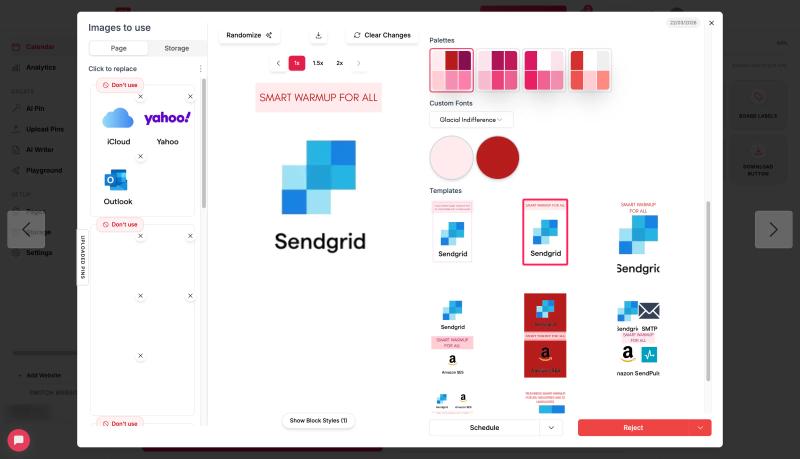
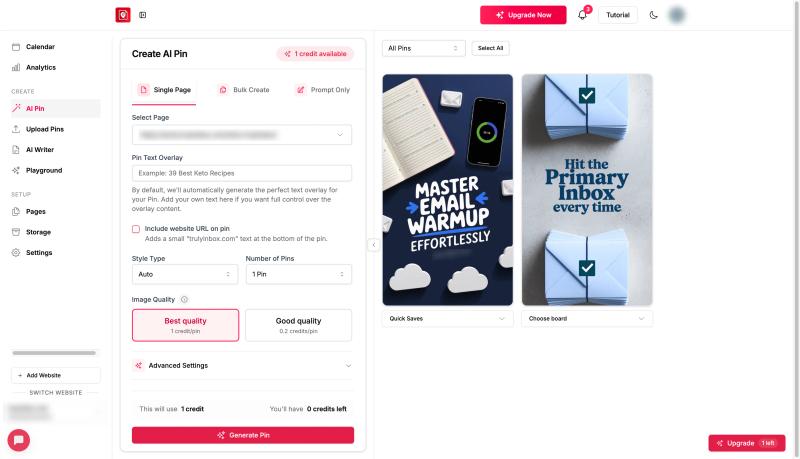
There is also an AI pin generator, but it produces static images. You do not get the same level of control or editability you would expect from more design-focused tools.
The interface can feel a bit cluttered as well, especially when you are managing bulk actions.
That said, it gets the job done if your priority is scale. It also includes safeguards like limiting one pin per URL per day, which helps avoid spam issues when publishing in volume. Integrations with Shopify, WooCommerce, and Etsy make it useful for turning product pages into pins.
Pricing starts at $39 per month billed annually, with a 7-day free trial.
Best for people who want to push out a high volume of pins from existing content and are less concerned about design quality or variation.
6. Later
Later started as an Instagram-first scheduler and has expanded to cover Pinterest, TikTok, and other platforms. The visual content calendar is the standout feature. You drag and drop media from your library onto the calendar, and it feels natural.
The media library itself is well thought out. You can store, label, and organize all your pin images in one place. For anyone dealing with hundreds of pin designs, that organizational layer saves a lot of time scrolling through folders.
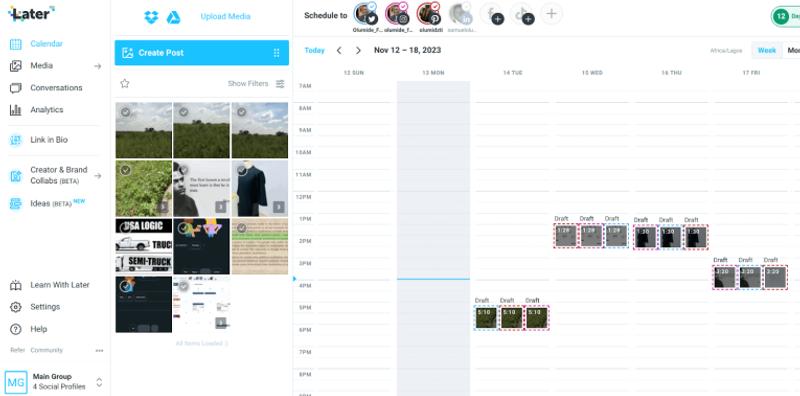
Pinterest scheduling is straightforward. Pick a pin, write the description, choose a board, set the time. Later also suggests optimal posting times, though the data behind those suggestions leans more toward Instagram patterns than Pinterest-specific ones.
Analytics cover engagement metrics and audience growth. Useful for tracking general performance but not as granular as Tailwind for Pinterest-specific data.
Pricing starts at $25 per month for the Starter plan. The Growth plan at $45 adds more profiles and analytics.
Compared to Tailwind and GenSumo, it is pricier for Pinterest-specific value, but if you also manage Instagram or TikTok, the multi-platform support might justify the cost.
7. Canva
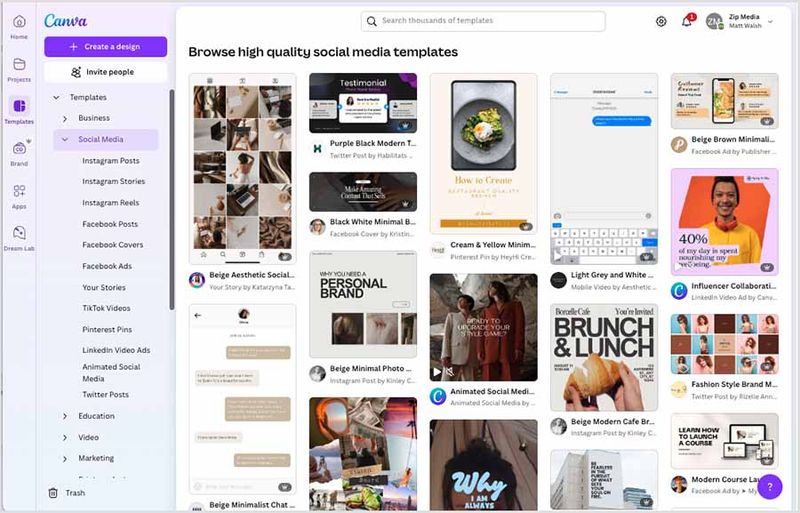
Canva is not a Pinterest scheduling tool. But a lot of Pinterest creators use it daily because the design experience is just better than anything else on this list.
The template library is massive and the editor is intuitive. Drag, drop, resize, done. You get full control over every element. Fonts, images, spacing, brand colours. For anyone frustrated with the rigid template systems in other tools, Canva is a relief.
There is a built-in Pinterest scheduler now. You can publish directly to your boards from inside Canva. It is basic compared to Tailwind or GenSumo, but it saves a step in the workflow.
Free tier covers a lot.
Pro is $13 per month and unlocks background remover, brand kits, and premium templates. Best if design control is your top priority and you do not mind handling scheduling separately or keeping it lightweight.
8. Planoly
Planoly built its reputation on Instagram planning and has extended support to Pinterest. If you manage both platforms, having one dashboard for visual scheduling across Instagram and Pinterest has genuine appeal.
The Pinterest features are functional but not deep. You can schedule pins, manage boards, and get basic analytics. The grid planner works well for visualizing how your content looks before it goes live.
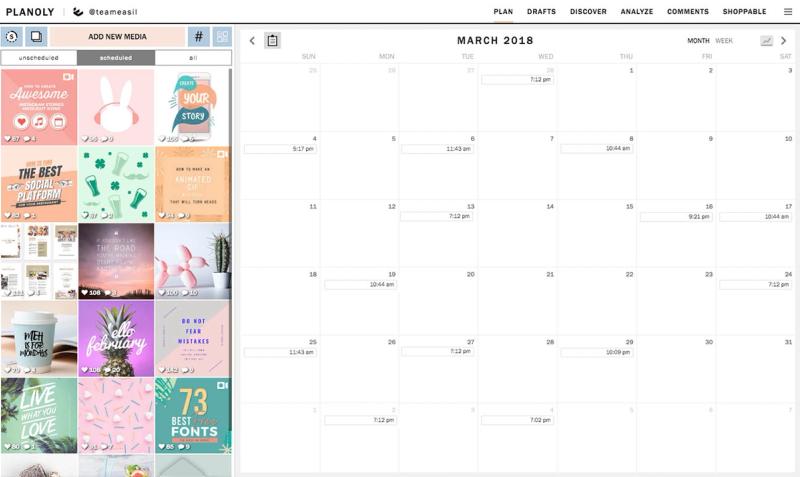
No AI features. No keyword tools. No smart scheduling specific to Pinterest audiences. It is essentially a clean interface for queuing pins and tracking basic metrics.
Pricing starts at $13.50 per month for the Starter plan. The Growth plan is $25 and adds more uploads and analytics.
If Instagram is your main platform and Pinterest is secondary, Planoly is a reasonable two-in-one option. Not worth it for Pinterest alone.
9. Hootsuite
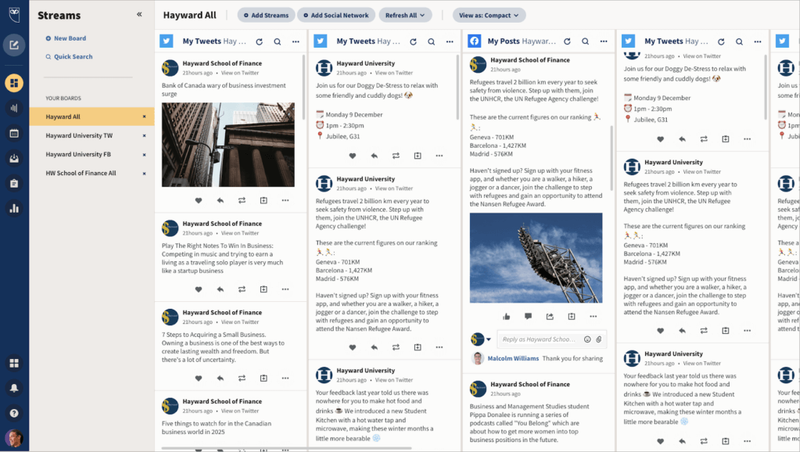
Hootsuite is an enterprise social media platform that happens to support Pinterest. It is not built for Pinterest specifically, but it covers the basics if you need everything under one roof.
You can schedule pins, preview how they will look in the feed, and track basic performance metrics.
The social listening tools let you monitor keywords and brand mentions across platforms, Pinterest included.
The dashboard is designed for teams managing multiple social channels. If Pinterest is one of eight platforms you are handling, having everything in one place has value. But it is expensive.
The entry plan is $99 per month for a single user. That is more than most dedicated Pinterest tools charge for their top tier.
Best for marketing teams already using Hootsuite for other platforms who want to add Pinterest without adopting another tool. Not worth it if Pinterest is your primary focus.


Generate pins with AI agent on autopilot
Create, schedule, and grow your Pinterest presence effortlessly with AI-powered automation.
Try GenSumo Free10. Sendible
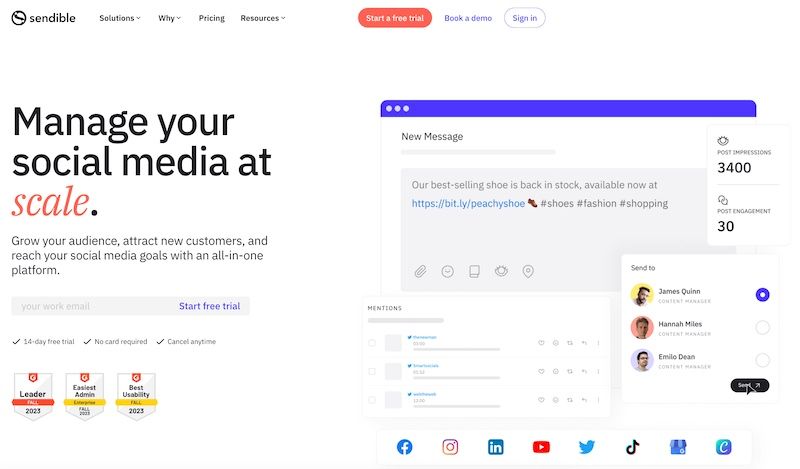
Sendible is an agency-focused social media management platform. Scheduling, reporting, client management, team workflows. It covers a lot of platforms well.
The catch with Pinterest is that support has been inconsistent. Sendible dropped Pinterest integration at one point, brought it back in 2021, and as of 2026 it is only available to a subset of users. Not everyone can connect Pinterest boards.
If you do have access, the scheduling and reporting work.
Bulk scheduling via CSV is useful for high-volume workflows. The approval system is good for agencies where clients need to sign off before anything goes live.
Analytics and reporting are strong across the platforms it fully supports. Facebook, Instagram, LinkedIn reports are solid. Pinterest reporting is more limited.
Pricing starts at $29 per month for the Creator plan. But given the unreliable Pinterest support, it is hard to recommend Sendible as a Pinterest scheduling tool specifically. Best for agencies managing multiple social platforms who occasionally need Pinterest.
11. Zernio (formerly Postiz API)
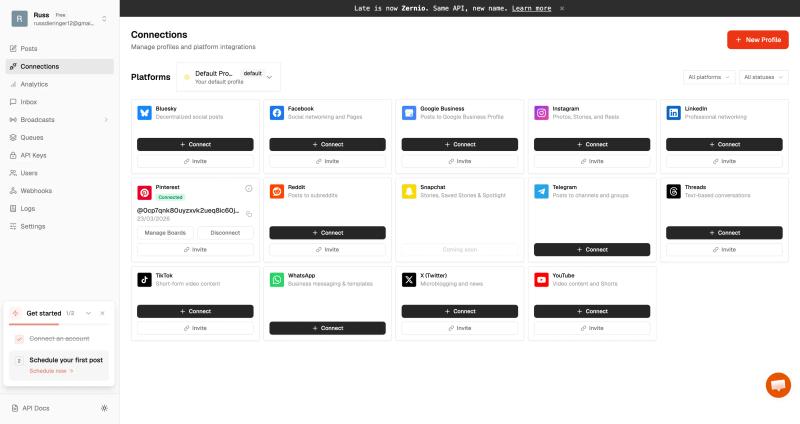
Zernio is not a typical Pinterest scheduling tool. It is an API-first platform built for developers, SaaS products, and AI agents that want to handle social posting programmatically.
Instead of using a dashboard, you integrate it into your workflow. With a single API call, you can create and schedule posts across platforms including Pinterest, Instagram, and LinkedIn. It handles media, formatting, and publishing in the background.
A common use case is automation with tools like n8n, Make, or Zapier. For example, you can trigger Pinterest posts automatically when a new blog is published, a product is added, or an AI generates content. It also works well for building internal tools or adding social posting features inside your own SaaS.
You also get APIs for analytics, webhooks for real-time updates, and even messaging, which makes it more of a full social infrastructure layer than just a scheduler.
The tradeoff is that it is not built for non-technical users. There is no visual pin creation or Pinterest-specific optimization. Everything depends on how you implement it.
Best for developers or teams who want to automate Pinterest scheduling and multi-platform posting at scale using APIs rather than a traditional tool.
How to Choose the Right Pinterest Scheduling Tool
If you want one tool that creates pins, schedules them, and plans your content strategy, GenSumo is the most complete option right now. The AI agent alone saves hours of manual work each week.
If scheduling is your main need and you want something proven over years, Tailwind is the safe choice. It has a decade of Pinterest-specific experience behind it.
If you are just starting out and publish fewer than ten pins a week, Pinterest's native scheduler is free and good enough to begin with.
If you care most about design and want full creative control, Canva is unmatched. Just be prepared to handle scheduling elsewhere or keep it simple with their built-in publisher.
Buffer works well if Pinterest is one of several platforms you manage and you want one clean dashboard. Later and Planoly make sense if Instagram is your primary platform and Pinterest is secondary.
Hootsuite and Sendible only make sense if Pinterest is a small part of a larger multi-platform enterprise operation. For most Pinterest-focused creators and businesses, they are overkill.
Frequently Asked Questions
What is the best Pinterest scheduling tool in 2026?
It depends on your workflow. For all-in-one creation and scheduling, GenSumo covers the most ground. For pure scheduling with years of Pinterest data behind it, Tailwind is the most established. For budget-conscious creators just getting started, Pinterest's native scheduler is free and functional.
Do I need a separate analytics tool alongside my scheduler?
Not necessarily. GenSumo and Tailwind both include analytics that are good enough for most creators. Pinterest's own analytics dashboard also provides useful data for free. A separate analytics tool only makes sense if Pinterest SEO and keyword research are core to your strategy.
Is Canva good enough for Pinterest marketing?
For design, absolutely. But Canva does not offer meaningful scheduling, automation, or analytics. Most serious Pinterest marketers use Canva alongside a dedicated scheduling tool like GenSumo or Tailwind.
Are Pinterest scheduling tools safe to use?
Tools that use the official Pinterest API, like Tailwind, GenSumo, Buffer, and Later, are completely safe. They conform to Pinterest's publishing guidelines. Be cautious with tools that scrape or use unofficial methods, as these can trigger account flags.
What is the cheapest Pinterest scheduling tool?
Pinterest's native scheduler is free. For third-party tools, Buffer's free plan and Canva's free tier are the most affordable entry points. Among paid tools, Tailwind at $14.99 per month and Planoly at $13.50 per month are the most budget-friendly options.
Can I use multiple Pinterest scheduling tools together?
Yes, and many marketers do. A common setup is GenSumo or Tailwind for scheduling and pin creation, Canva for custom one-off designs, and Pinterest's native analytics for a second opinion on performance data. The tools serve different functions and work well alongside each other.
