





Growing on Pinterest sounds simple.
Post regularly and stay consistent. In practice, that is where most people get stuck.
Between creating content, running a business, and managing everything else, Pinterest often becomes the thing you mean to get to but don’t.
That is where Pinterest automation tools come in.
They take care of the repetitive work like scheduling, distributing pins, and in some cases even creating them.
Here is a breakdown of the Pinterest automation software actually worth considering in 2026, and how they fit into different ways of working.
Quick Comparison of Best Pinterest Automation Software
| Tool | Best For | Pin Creation | Scheduling | Automation Depth | Price |
|---|---|---|---|---|---|
| GenSumo | Full workflow (create + schedule + plan) | AI | Yes | High (agent + safety features) | $29/mo |
| Tailwind | Reliable Pinterest scheduling | Basic | Yes | Medium (SmartSchedule) | $24.99/mo |
| BlogToPin | Blog → pin automation | Template | Yes | High (bulk URL automation) | $39/mo |
| Pinflux | Bulk actions (bot-based) | No | Bot | High (risky automation) | $67 one-time |
| Buffer | Simple multi-platform scheduling | No | Yes | Low | Free / $6+ |
| Later | Visual planning + content calendar | No | Yes | Low | $25/mo |
| Zernio | API + automation workflows | No | Yes | Very High (API driven) | Free tier |
1. GenSumo
Most Pinterest tools make you piece things together.
One tool for design, another for scheduling, maybe something else for planning. It works, but it adds friction.
GenSumo is built to keep that entire flow in one place.
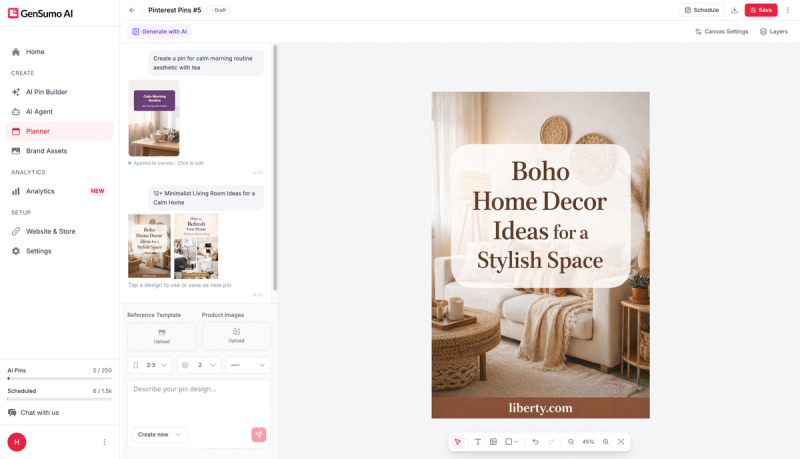
You start with the AI pin generator
Describe what you want, choose a style, and it creates a full pin with layout, visuals, text, and your brand elements already in place. The result is editable, so you can adjust anything before publishing.
The bigger shift is the AI agent.
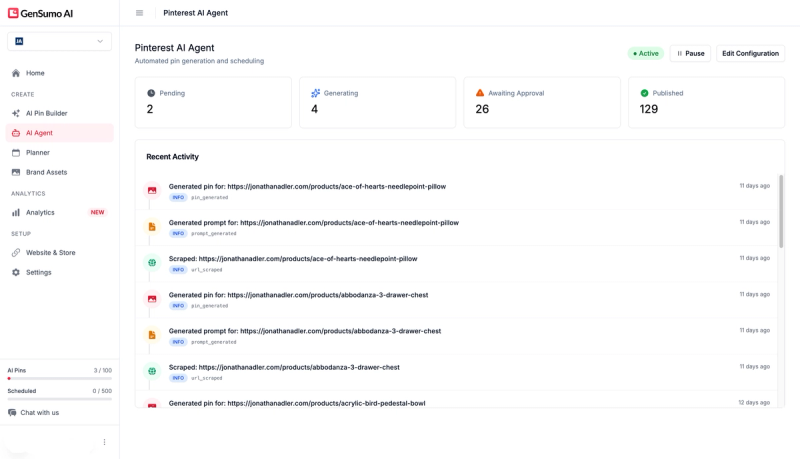
Instead of just helping with individual pins, it works at the workflow level.
You can connect your site or give it a topic, and it maps out a content plan, generates pins, and lines everything up for review. You are still in control, but a lot of the heavy lifting is already done.
A lot of thought has gone into publishing safely.
Account warmup, spacing between pins, variation in designs, and link separation all run in the background. If you are posting regularly, this is the kind of detail that quietly protects your account over time.
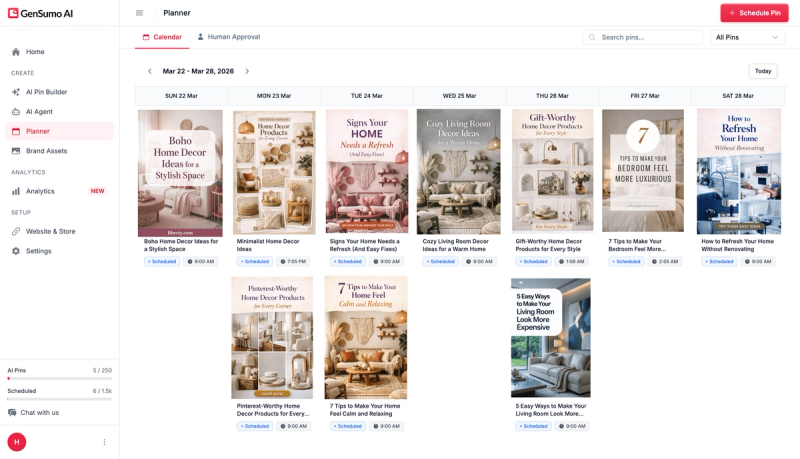
You can post to multiple boards, see everything in a calendar, and plan ahead without it turning into a mess.
Analytics cover impressions, saves, and clicks, which is enough to understand what is working without overcomplicating things.
Pricing starts at $29 per month for 100 AI pins and 500 scheduled posts. The Growth plan at $67 covers three accounts with 250 AI pins. There is a 14-day free trial with no card required.
Create free GenSumo acocunt
2. Tailwind
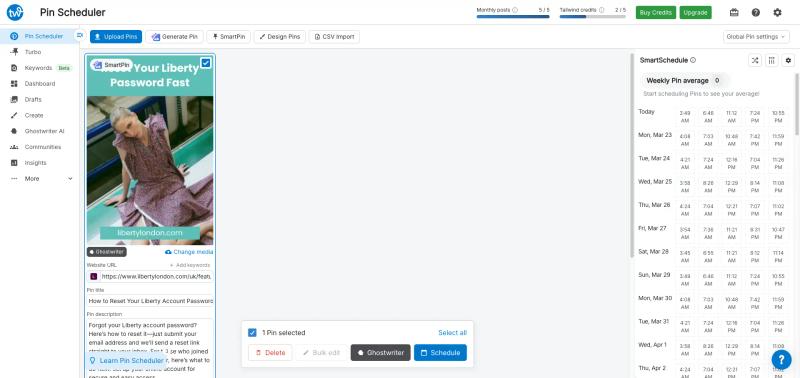
Tailwind is one of the oldest Pinterest scheduling tools, and it shows. The scheduling just works.
You upload your pins, add descriptions and boards, and load them into a queue. SmartSchedule then spaces everything out based on when your audience is active, so you are not guessing posting times.
It is built around batching. You design your pins elsewhere, usually in Canva, then use Tailwind to handle distribution. If your workflow is already set up like that, it fits in easily.
They have added SmartPin for variations, but the designs are basic. Most people still prefer to handle design outside and use Tailwind purely for scheduling.
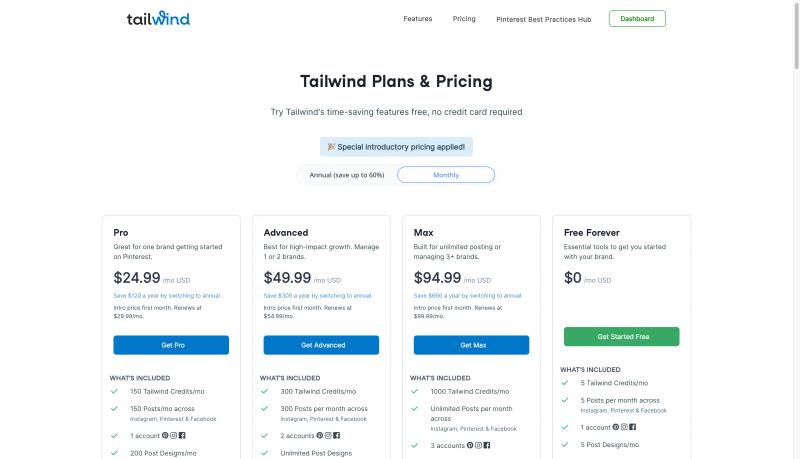
Pricing starts at $24.99 per month. It is affordable and reliable, but focused mainly on scheduling rather than creation or planning.
3. BlogToPin
BlogToPin is built for turning existing content into pins quickly.
You give it a URL, and it pulls images and text from the page, applies a template, writes a description, and schedules the pin. If you have a lot of blog posts or product pages, it can process them in bulk, which is where it becomes useful.
The output depends heavily on your page. If the visuals are weak, it tends to grab random images and build pins around them. They offer variations and color changes, but most designs still feel quite similar over time.
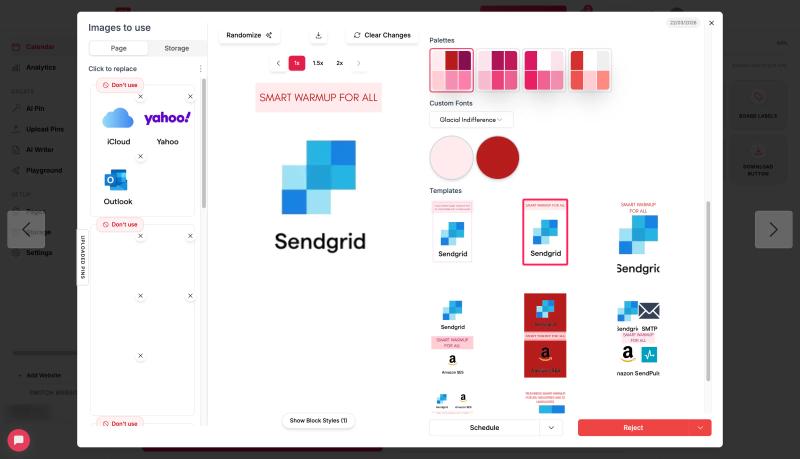
There is also an AI pin generator, but it creates static images with limited control. You do not get much flexibility to edit or refine the design.
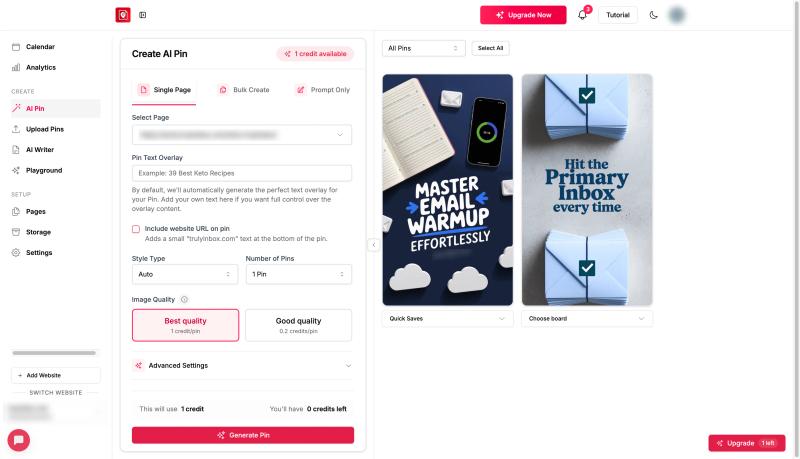
The interface can feel a bit cluttered when working at scale, but it does include safeguards like limiting one pin per URL per day, which helps avoid spam issues.
Pricing starts at $39 per month billed annually, with a 7-day free trial.
Best suited for pushing out a high volume of pins from existing content where speed matters more than design quality.
4. Pinflux
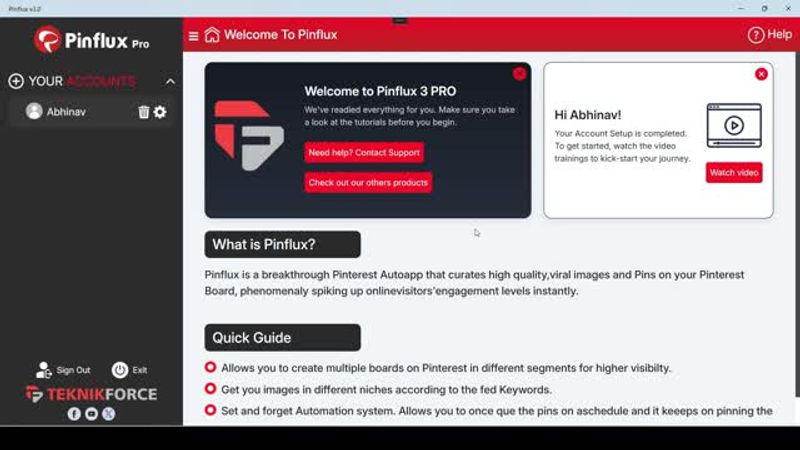
Pinflux is very different from the other tools on this list. It is a desktop app that automates Pinterest activity directly on your computer, not through the official API.
You can set it up to pin, repin, follow, unfollow, and manage boards in bulk. Once configured, it runs in the background based on the limits and delays you define. The one-time price of $67 also makes it appealing compared to monthly tools.
But this comes with tradeoffs.
Because it mimics browser activity instead of using Pinterest’s API, there is a real risk of accounts getting flagged or restricted. Pinterest has become stricter over time, and aggressive automation patterns are easier to detect now.
The product itself also feels dated. It is Windows-only, with no web access, no mobile support, and no real design or analytics features.
It can work if used very cautiously, but it is not something you can scale with confidence. Best suited for experiments or low-risk accounts rather than serious Pinterest growth.
5. Buffer
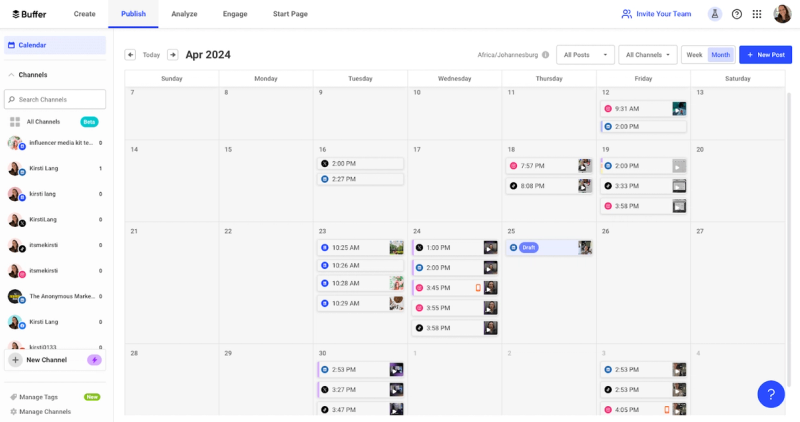
Buffer treats Pinterest like any other social platform. That is both the appeal and the limitation.
If you are already using Buffer for Instagram, LinkedIn, or X, adding Pinterest is straightforward. The interface is clean. You create a post, pick a time, choose a board, and add it to the queue. The calendar view makes it easy to plan and move things around.
Where it falls short is Pinterest-specific features. There is no smart timing based on Pinterest data, no pin creation tools, and no real optimization for how Pinterest works. It is simple scheduling, nothing more.
The free plan covers three channels with ten scheduled posts each. Paid plans start at $6 per month per channel.
6. Later
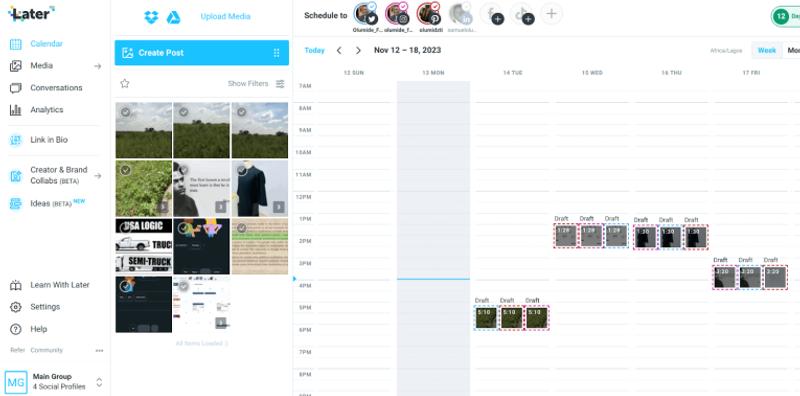
Later is built around visual planning. You drag and drop content onto a calendar, and for a platform like Pinterest, that makes the workflow feel natural.
The media library is one of its stronger parts. You can store, tag, and organize a large number of pin images without things getting messy. If you are working with a lot of designs, this helps.
Scheduling is simple. Pick a pin, choose a board, set a time, and you are done. It also suggests posting times, but those are not very Pinterest-specific.
There is no real automation beyond scheduling. No AI pin creation, no keyword tools, no content planning. Analytics are basic and focused on general engagement.
Pricing starts at $25 per month. It makes more sense if you are managing Instagram or TikTok as well. For Pinterest alone, there are stronger options.


Generate pins with AI agent on autopilot
Create, schedule, and grow your Pinterest presence effortlessly with AI-powered automation.
Try GenSumo Free7. Zernio
Zernio is not really a Pinterest scheduling tool in the usual sense. It is more like the backend infrastructure for scheduling.
You do not log in and use a dashboard. You plug it into your own system. With one API, you can schedule pins across Pinterest and other platforms, and it handles things like authentication, formatting, and publishing behind the scenes.
The real use case is automation. For example, you can connect it with tools like n8n, Make, or Zapier and trigger posts automatically. A new blog goes live, a product gets added, or an AI generates content, and Zernio pushes it to Pinterest without manual work. There is even an n8n node that lets you build full workflows around it.
It also supports bulk scheduling, analytics APIs, webhooks, and multi-platform posting from a single request, which makes it useful if you are building your own tool or running large-scale automation.
The tradeoff is obvious. There is no design layer, no pin creation, and no Pinterest-specific strategy built in. Everything depends on how you implement it.
Best for developers or teams who want full control over Pinterest scheduling and automation, not a plug-and-play tool.
How to Pick the Right Pinterest Automation Tool
The right tool depends on where your bottleneck actually is. If the problem is that you cannot keep up with creating pins, scheduling them, and planning content all at once, GenSumo handles that full cycle.
The AI agent does the heavy lifting on content creation and planning, which frees you up to focus on strategy and review. For a broader look at tools across different Pinterest workflows, we also put together a guide to the best Pinterest marketing tools.
If you already have your design workflow dialled in and just need reliable scheduling, Tailwind is the proven choice. It has been doing this longer than anyone else and the SmartSchedule feature alone justifies the price for most users.
Buffer and Later make sense when Pinterest is one of several platforms you manage and you want everything in one dashboard. They are solid general-purpose tools, but they do not offer Pinterest-specific intelligence.
Frequently Asked Questions
What is the best Pinterest automation tool in 2026?
It depends on what you need automated. For full-cycle automation that covers pin creation, scheduling, and content planning, GenSumo is the most complete tool available. For scheduling-only automation with strong audience timing data, Tailwind remains the most established option.
Is Pinterest automation safe for my account?
Yes, if you use the right kind of tools.
Pinterest officially supports scheduling through its API, and tools that use this (like Tailwind, GenSumo, Buffer, Later) are generally safe. They follow Pinterest’s rules around publishing, so your activity looks natural.
Where problems happen is with aggressive or unofficial automation.
Tools that simulate browser activity or act like bots can trigger flags. Things like mass repinning, auto-following, or posting too fast without variation can look spammy. That is where accounts get restricted.
Can I automate pin creation, not just scheduling?
Yes, but the options are limited and not all of them work equally well.
GenSumo can generate pins from scratch using AI. You give it a prompt or content, and it builds the layout, visuals, and text together. The output is editable, so you can adjust before publishing.
How many pins should I automate per day?
There is no fixed number that works for everyone.
Most accounts that grow steadily tend to publish somewhere between 5 and 25 pins per day. But volume alone is not what matters. Consistency and spacing matter more.
Posting 10 pins spread across the day is better than posting 10 at once.
If you are just starting or increasing activity, it is safer to begin on the lower end and scale up gradually. Sudden spikes in activity can hurt reach or trigger limits.
Tools like GenSumo and Tailwind help by spacing pins automatically, so your activity looks natural without you having to manage timings manually.
What is the cheapest Pinterest automation tool?
If you are looking for the lowest cost option, it depends on how much you actually need.
Buffer is the cheapest entry point. It has a free plan and paid plans start around $6 per month per channel, which makes it one of the most affordable ways to schedule pins.
