




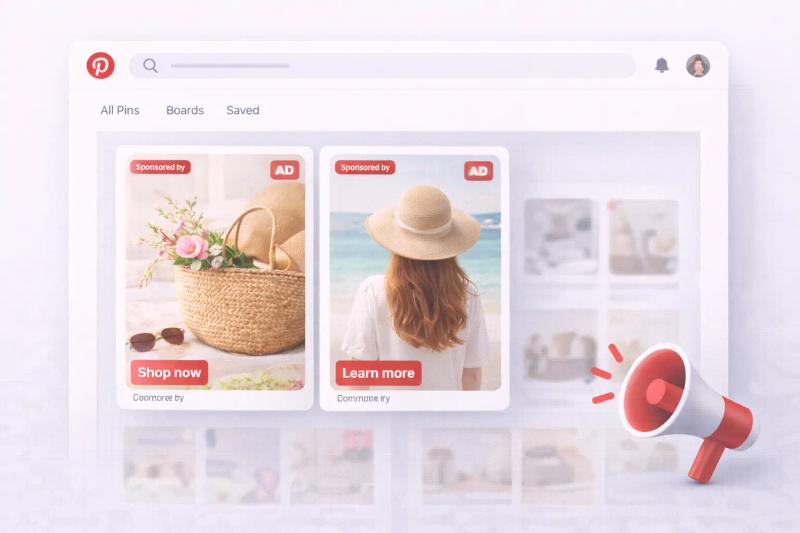
If you’ve opened Pinterest recently and felt like every few pins is sponsored, you’re not imagining it.
Many users are asking the same questions:
- Why are there so many ads on Pinterest?
- Why does Pinterest have ads now?
- Why does Pinterest only show ads in my feed?
- How can I get less ads on Pinterest?
- Can you block ads on Pinterest?
Let’s break this down calmly and clearly.
Pinterest is a free platform, and ads are how it makes money. Ad visibility increases based on your activity and advertiser demand.
You cannot completely block ads.You can reduce ad personalization and hide irrelevant ads.
Why Does Pinterest Have Ads Now?
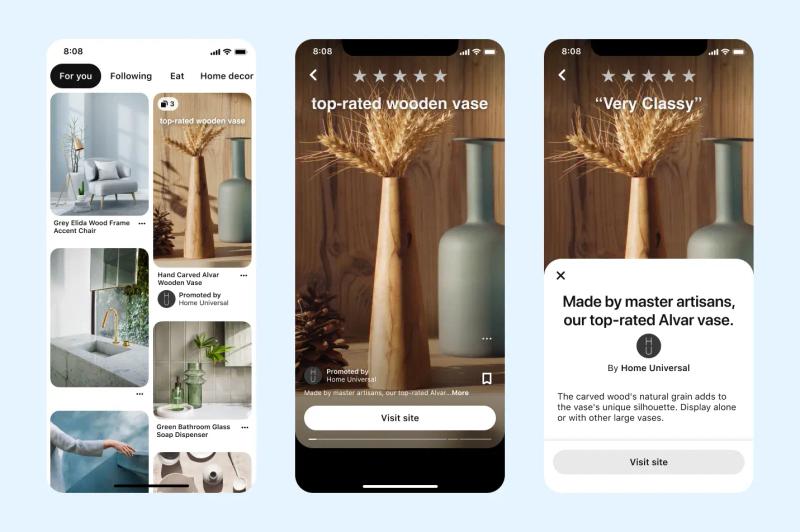
Pinterest has always been an advertising-supported platform.
Like Instagram, Facebook, and TikTok, Pinterest is free to use. That means its primary revenue source is advertising. Businesses pay to promote pins so they appear in users’ home feeds, search results, and related content sections.
Over the past few years, Pinterest has expanded its shopping features and ad formats. As ecommerce and online marketing grew, more brands began investing in Pinterest ads. Naturally, that means users see more sponsored content.
It may feel like “ads suddenly appeared,” but Pinterest has been monetizing through ads for years. What’s changed is the volume and targeting sophistication.
Why Am I Seeing So Many Ads on Pinterest?
There are a few main reasons.
1. Pinterest Is a High-Intent Platform
People use Pinterest to plan purchases. Users search for home decor, outfits, recipes, skincare routines, wedding ideas, and product comparisons.
That buying intent makes Pinterest very attractive to advertisers. Where there’s intent, there’s ad spend.
2. Increased Advertiser Competition
More businesses are advertising on Pinterest than before. Ecommerce brands, dropshippers, bloggers, and major retailers all compete for attention.
More advertisers = more sponsored pins in the feed.
3. Your Activity Influences Ad Frequency
Pinterest personalizes ads based on:
- What you search
- What you click
- What you save
- What boards you create
If you interact with shopping-related content, you may see more promoted pins.
Sometimes it feels like Pinterest only shows ads because the algorithm matches your recent activity with highly targeted sponsored content.
Why Does Pinterest Only Show Ads in My Feed?
It usually doesn’t only show ads, but if it feels that way, here’s why:
Pinterest blends promoted pins directly into organic content. They look similar to regular pins except for the small “Promoted” label.
If you're browsing in a highly commercial niche like fashion, beauty, home decor, or gadgets, you may naturally encounter a higher concentration of ads because advertisers heavily invest in those categories.
The platform is balancing organic content and sponsored placements in the same visual grid.


Generate pins with AI agent on autopilot
Create, schedule, and grow your Pinterest presence effortlessly with AI-powered automation.
Try GenSumo FreeHow to Get Less Ads on Pinterest
You cannot completely remove ads from Pinterest, but you can reduce personalization and hide irrelevant ads.
Here are practical steps.
Adjust Ad Personalization Settings
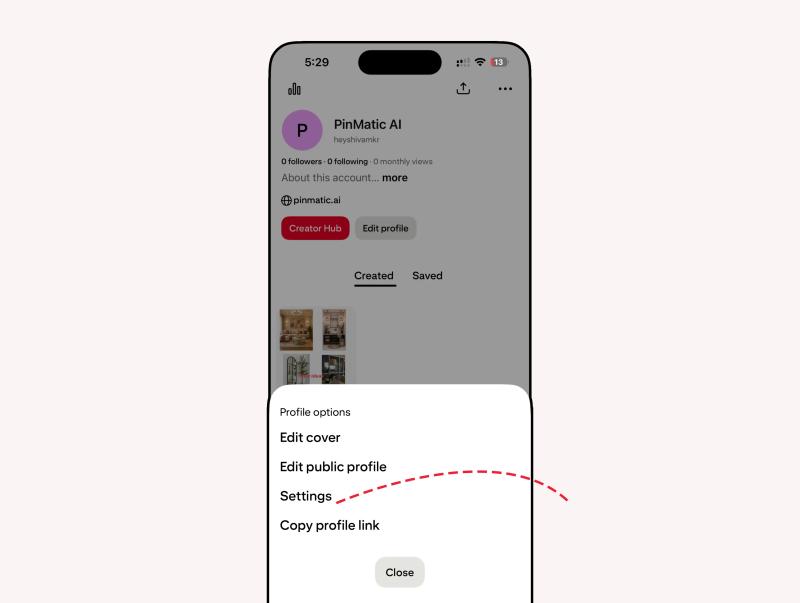
1. Open your profile.
2. Tap or click Settings.
3. Go to Privacy and data.
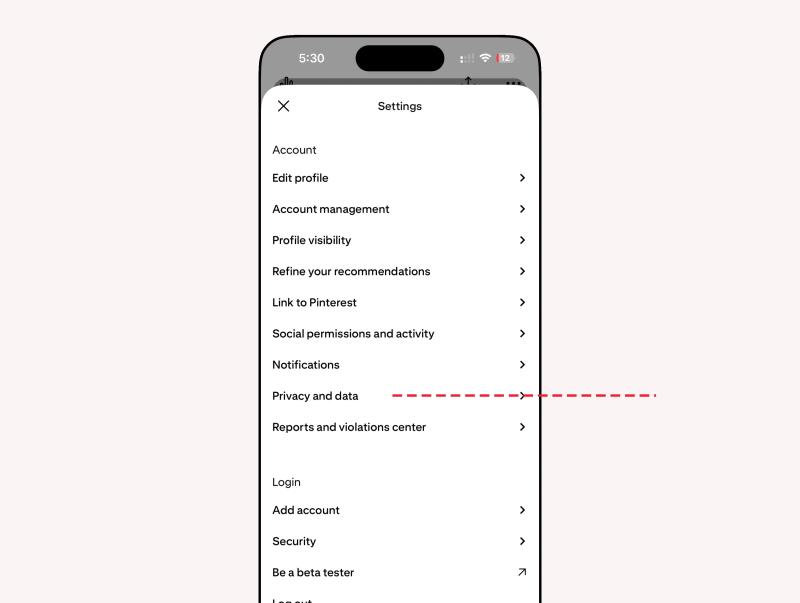
4. Review personalization options.
5. Disable settings related to ad personalization if available.
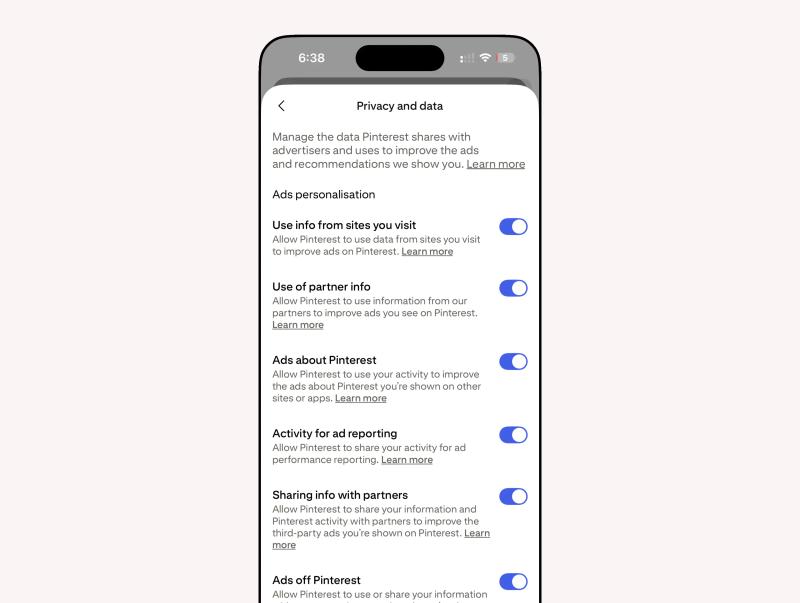
This won’t remove ads entirely, but it may reduce how closely they match your behavior.
Hide Individual Ads
When you see a sponsored pin:
- Tap the three-dot menu on the ad.
- Select “Hide Pin.”
- Choose a reason (e.g., not relevant).
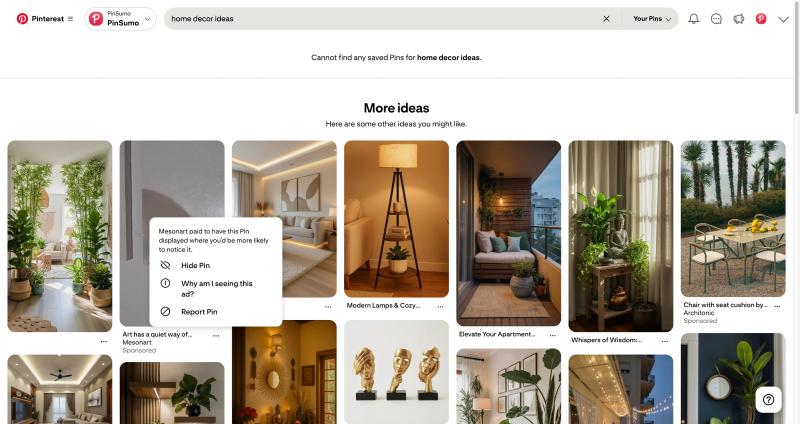
Pinterest uses this feedback to improve future ad targeting.
If you consistently hide irrelevant ads, your experience may improve over time.
Can You Block Ads on Pinterest Completely?
No. Pinterest does not offer a built-in feature to remove ads entirely.
Because advertising is the platform’s main revenue source, sponsored content is part of the core experience.
Some users attempt to use browser ad blockers, but results vary. On mobile apps, blocking ads is much more difficult because ads are integrated directly into the platform’s system.
Why Pinterest Ads Feel More Frequent Recently
There are a few broader industry trends at play.
Digital advertising has grown significantly across all social platforms. Brands allocate more budget toward platforms where users demonstrate buying intent. Pinterest fits that category well.
Additionally, Pinterest has invested heavily in shopping features, product tagging, and catalog integration. That naturally increases commercial content.
If you’re browsing in product-heavy categories, you may notice more ads than someone browsing pure DIY inspiration.
Are Pinterest Ads Safe?
Yes, Pinterest reviews advertisements before approval. However, like any platform, ad quality can vary.
If you see something suspicious:
- Use the “Hide ad” option
- Report it through the menu
- Avoid clicking unknown links
Pinterest has advertising policies in place to prevent misleading or harmful promotions.
Final Thoughts
Pinterest shows ads because it’s a free platform supported by advertisers. The more commercial the niche, the more ads you’re likely to see.
You cannot remove ads completely, but you can:
- Adjust personalization settings
- Hide irrelevant ads
- Provide feedback on sponsored content
If your feed feels overwhelmed with ads, it may be influenced by your recent searches and saves.
Understanding how the platform works makes it less frustrating.
If you'd like, I can now create:
- SEO title under 60 characters
- Meta description under 155 characters
- TLDR section
- FAQ section
- Internal linking strategy
Just tell me what you need next.
