




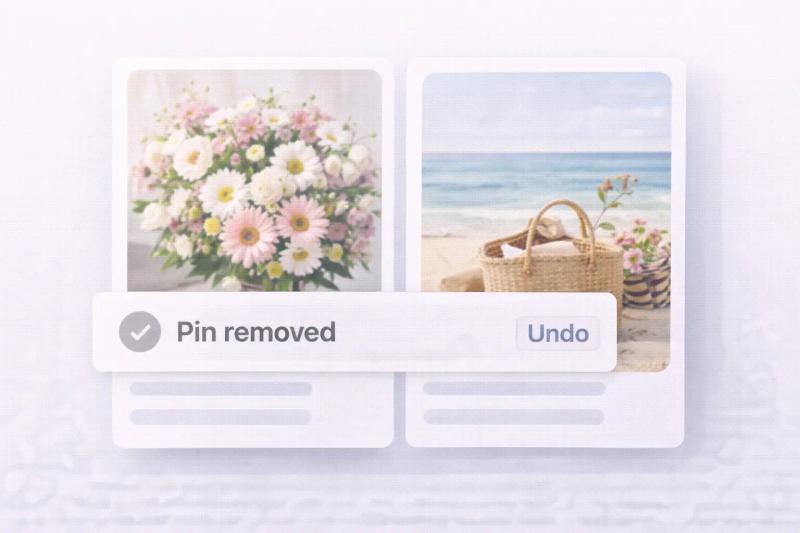
Pinterest makes it easy to save ideas, organize inspiration, and grow traffic. But sometimes you save the wrong pin, publish too early, or add it to the wrong board.
If you are wondering how to undo a pin on Pinterest, this guide walks you through every scenario in simple steps.
You can undo a Pin on Pinterest in a few different ways depending on the situation.
- If you just saved a Pin, click Undo in the confirmation popup within a few seconds.
- If you saved it earlier, open the board and remove the Pin manually.
- If you created the Pin yourself, go to Edit → Delete to remove it permanently.
What Does “Undo a Pin” Mean on Pinterest?
On Pinterest, undoing a pin can mean:
- Removing a saved pin from a board
- Deleting a pin you created
- Moving a pin to the correct board
- Editing a published pin
Pinterest does not offer a permanent undo history like Google Docs. Once deleted, a pin usually cannot be recovered unless you recreate it.
You can manage your pins directly inside your account dashboard on Pinterest.
How to Undo a Pin Immediately After Saving
If you just saved a Pin and realized it was a mistake, Pinterest gives you a short window to undo it.
Step 1: Click Save on a Pin. Choose the board where you want to save it.
Step 2: Look for the confirmation popup. After saving, you will see a small message that says “Saved to [Board Name].”
Step 3: Click “Undo.” Next to the confirmation message, you will see an Undo button. Click it immediately.
Important: The undo option only appears for a few seconds. If you miss it, you will need to manually remove the Pin from the board.
How to Undo a Saved Pin (Remove It From a Board)
If you accidentally saved someone else’s pin to your board, here is how to remove it.
Step 1 Open your profile Go to Pinterest and click your profile picture to see your boards.
Step 2 Open the board Click the board where the pin is saved.
Step 3 Select the pin Click on the pin you want to remove.
Step 4 Click the three dots Tap the three dot menu on the pin and choose edit.
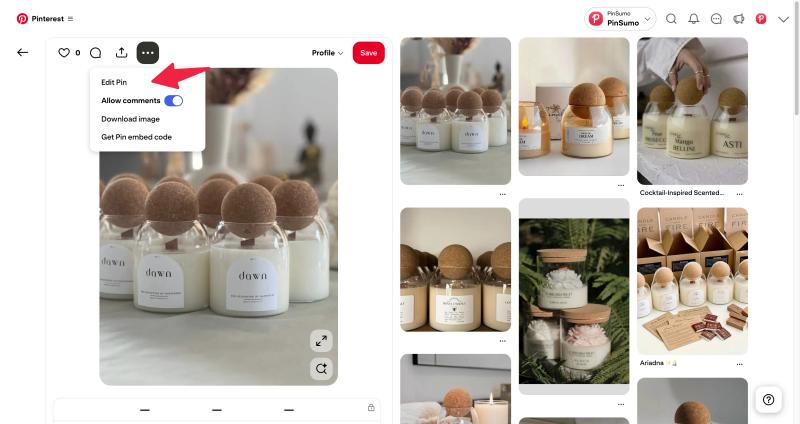
Step 5 Click Delete or Remove Select Delete Pin or Remove from board.
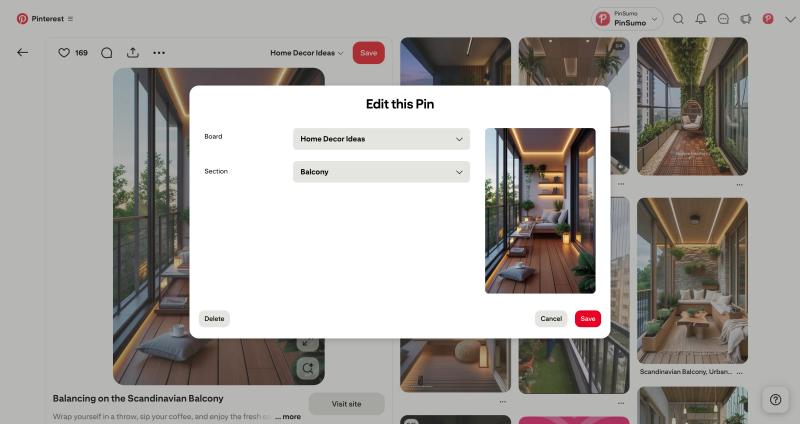
That’s it. The pin will be removed from your board.
How to Delete a Pin You Created
If you created a pin and want to undo it completely, follow these steps.
Step 1 Go to your created pins Open your profile and find the pin under Created.
Step 2 Open the pin Click on it.
Step 3 Click the three dots Open the menu.
Step 4 Click Edit Choose Edit Pin.
Step 5 Click Delete Scroll down and select Delete.
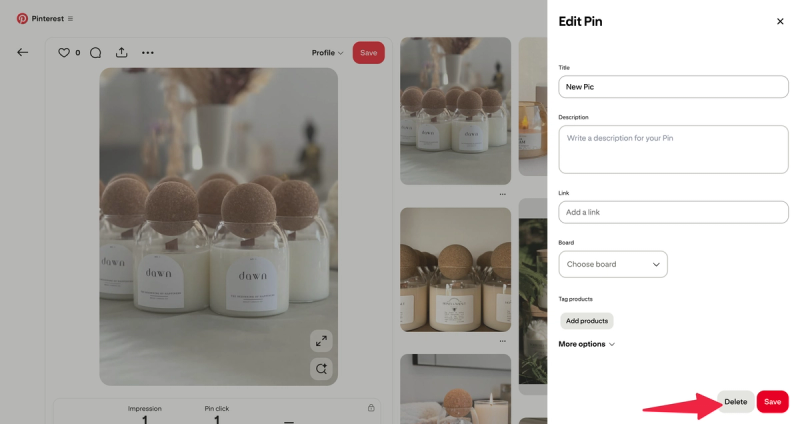
Confirm deletion.
Important: Once deleted, Pinterest does not provide an official restore button.
Final Thoughts
Undoing a Pin on Pinterest is easy if you act quickly.
The instant undo option works for a few seconds after saving. After that, you will need to manually remove or move the Pin.
Keeping your boards clean and organized improves your Pinterest SEO, user experience, and profile clarity.
If you pin regularly, it is normal to make occasional mistakes. Pinterest makes it simple to fix them.


Generate pins with AI agent on autopilot
Create, schedule, and grow your Pinterest presence effortlessly with AI-powered automation.
Try GenSumo FreeFrequently Asked Questions
Can I undo a Pin after closing Pinterest?
No. The quick undo button only appears immediately after saving. Once you refresh the page or leave the app, you must manually remove the Pin from the board.
Does removing a Pin delete it from Pinterest completely?
No. If the Pin was created by another user, removing it only deletes it from your board. The original Pin will still exist on Pinterest.
Can I undo multiple Pins at once?
Pinterest does not have a one-click undo for multiple Pins. However, you can use bulk edit options inside boards to remove several Pins faster.
Will followers know if I remove a Pin?
No. Pinterest does not notify followers when you remove or undo a saved Pin.
Is removing a Pin bad for Pinterest SEO?
Removing random Pins is not harmful. However, deleting your own high-performing Pins may reduce impressions and engagement over time.
